Audi MMI infotainment glitches and touchscreen lag common
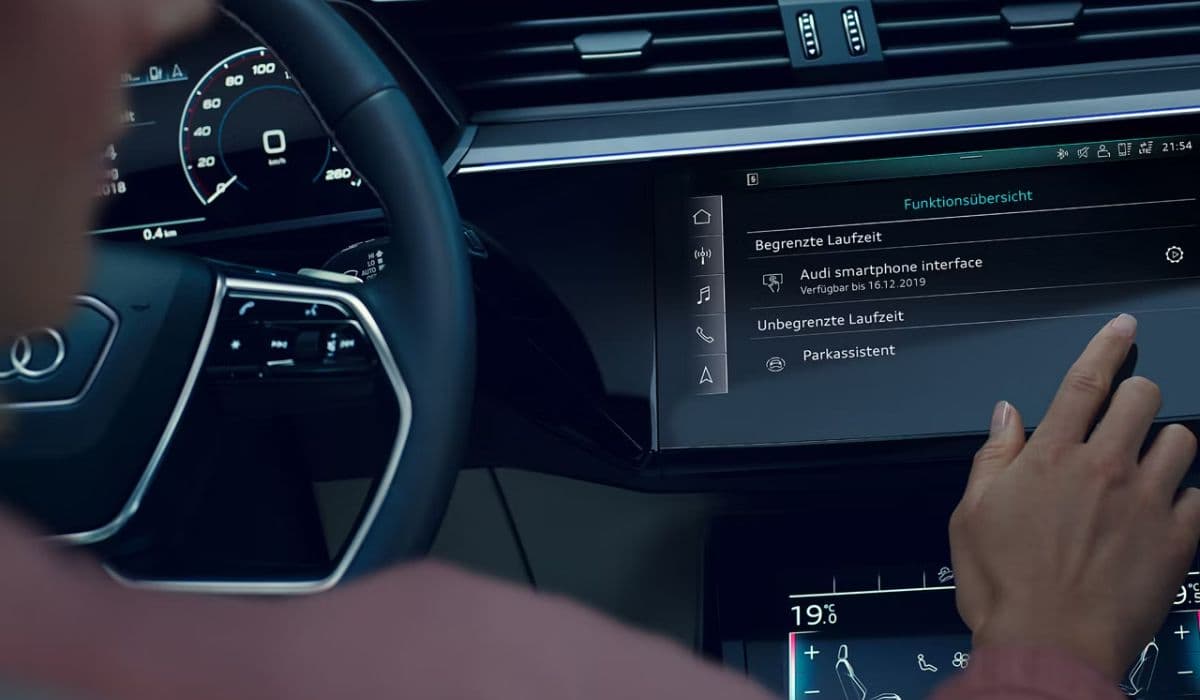
The Audi MMI (Multi Media Interface) stands as one of the most sophisticated infotainment systems in modern luxury vehicles. It seamlessly integrates navigation, audio streaming, smartphone connectivity, climate controls, and vehicle settings into a sleek, touchscreen-driven interface. However, many owners encounter persistent frustrations with glitches, touchscreen lag, unresponsiveness, and intermittent freezes that disrupt the premium driving experience.
These problems are surprisingly widespread across various models, often sparking discussions among owners who expect flawless performance from a high-end brand. Understanding the root causes, recognizing symptoms early, and knowing practical workarounds can help mitigate the annoyance and keep the system functional.
Why Touchscreen Lag Happens in Audi MMI Systems
Touchscreen lag manifests as delayed response when tapping icons, entering addresses in navigation, or swiping through menus. What should feel instantaneous often takes a full second or more, breaking the flow of interaction.
Several factors contribute to this slowdown:
High system load during startup or when multiple features run simultaneously (navigation + music streaming + Bluetooth calls).
Background processes like software initialization, map loading, or over-the-air updates consuming resources.
Overheating of internal components, especially in warm climates or after prolonged use.
Memory buildup from cached data, temporary files, or conflicting smartphone connections.
In many cases, the lag worsens over time as the system accumulates data without regular clearing.
Frequent Glitches and Freezing Problems
Beyond simple delay, owners report a range of disruptive behaviors that render the MMI partially or fully unusable at times.
Common glitch patterns include:
Random reboots — The system suddenly restarts mid-drive, interrupting audio or navigation guidance.
Black screens — The display goes completely dark while audio might continue playing blindly.
Frozen interfaces — Menus stop responding entirely, with the touchscreen ignoring inputs.
Loading loops — Messages like "Loading the system, please wait" persist far longer than normal startup.
Intermittent feature failures — Navigation drops out, radio presets vanish, or media playback halts unexpectedly.
These issues often appear inconsistently — working perfectly one day and failing the next — which makes diagnosis tricky without professional tools.
Connectivity and Smartphone Integration Challenges
Modern drivers rely heavily on Apple CarPlay, Android Auto, and Bluetooth for hands-free functionality. Unfortunately, the MMI frequently struggles here, leading to compounded frustrations.
Typical connectivity complaints:
Delayed or failed wireless pairing — CarPlay connects only after driving some distance or requires manual intervention.
Black screens during smartphone mirroring — The display blanks out right after connection establishes.
Dropped connections — Streaming music cuts out, calls disconnect, or contacts fail to sync properly.
Inconsistent steering wheel controls — Volume or track skipping stops working when using mirrored interfaces.
Many attribute these to software incompatibilities between the MMI firmware and evolving smartphone operating systems.
Symptoms That Owners Notice Most Often
Real-world experiences highlight patterns that repeat across different models:
Touch inputs register seconds late, especially when typing destinations or adjusting settings.
The system becomes sluggish in hot weather or after extended screen-on time.
Bluetooth audio stutters or drops during calls despite strong phone signal.
Navigation voice prompts cut off or repeat erratically.
Presets and user profiles reset unexpectedly after restarts.
The interface occasionally shows garbled graphics or partial blackouts.
These symptoms rarely disable driving functions but erode confidence in the technology.
Quick Troubleshooting Steps You Can Try Yourself
Before heading to a service center, several user-applied fixes often resolve temporary issues without tools or appointments.
Soft reset via volume knob — Press and hold the volume control (usually near the gear selector) for 10–15 seconds until the screen blacks out and restarts with the Audi logo. This clears temporary glitches in most touchscreen-equipped systems.
Full vehicle power cycle — Turn off the engine, open and close the driver's door, wait a minute, then restart. This discharges residual power and refreshes modules.
Disconnect smartphone — Forget the device in both phone and MMI settings, then re-pair. Clearing phone cache or restarting the device can help too.
Avoid heavy multitasking — Limit simultaneous high-demand tasks like streaming HD audio while updating maps.
Check for visible overheating — If the center console feels unusually warm, allow cooling before retrying.
These steps restore functionality for many owners facing sporadic problems.
When Professional Help Becomes Necessary
Persistent or worsening issues often point to deeper causes requiring dealer-level intervention.
Potential underlying factors:
Outdated firmware needing specific patches or recalibration.
Faulty control modules or wiring harness problems causing intermittent power loss.
Sensor conflicts or low-voltage conditions triggering protective shutdowns.
Hardware degradation in high-mileage vehicles affecting touchscreen calibration.
Technicians use diagnostic scanners to read error codes, apply targeted updates, or identify component faults. Early attention prevents escalation to more expensive repairs.
How These Issues Impact Daily Driving
Imagine relying on navigation for an unfamiliar route, only for the touchscreen to lag when zooming in on a complex interchange. Or streaming a podcast during a long commute, then dealing with sudden audio dropouts and reboots. These moments transform a relaxing drive into a source of irritation.
The contrast feels stark: the vehicle's mechanical precision and refinement clash with digital unpredictability. Owners who prize seamless technology find these glitches particularly jarring in an otherwise polished package.
Staying Ahead of MMI Performance Issues
Proactive habits can minimize occurrences:
Perform periodic soft resets as preventive maintenance, especially after long trips.
Keep smartphone software current to reduce compatibility conflicts.
Limit connected devices to essentials during drives.
Monitor for patterns — note if problems correlate with temperature, battery state, or specific features.
While no infotainment system achieves perfection, awareness and simple interventions go far toward maintaining usability.
The Audi MMI delivers an impressive array of capabilities when operating smoothly. Glitches and touchscreen lag represent frustrating but often manageable hurdles rather than fatal flaws. By recognizing patterns and applying straightforward fixes, owners can reclaim much of the intended convenience and sophistication.