Chevrolet infotainment: Google built-in pros and cons
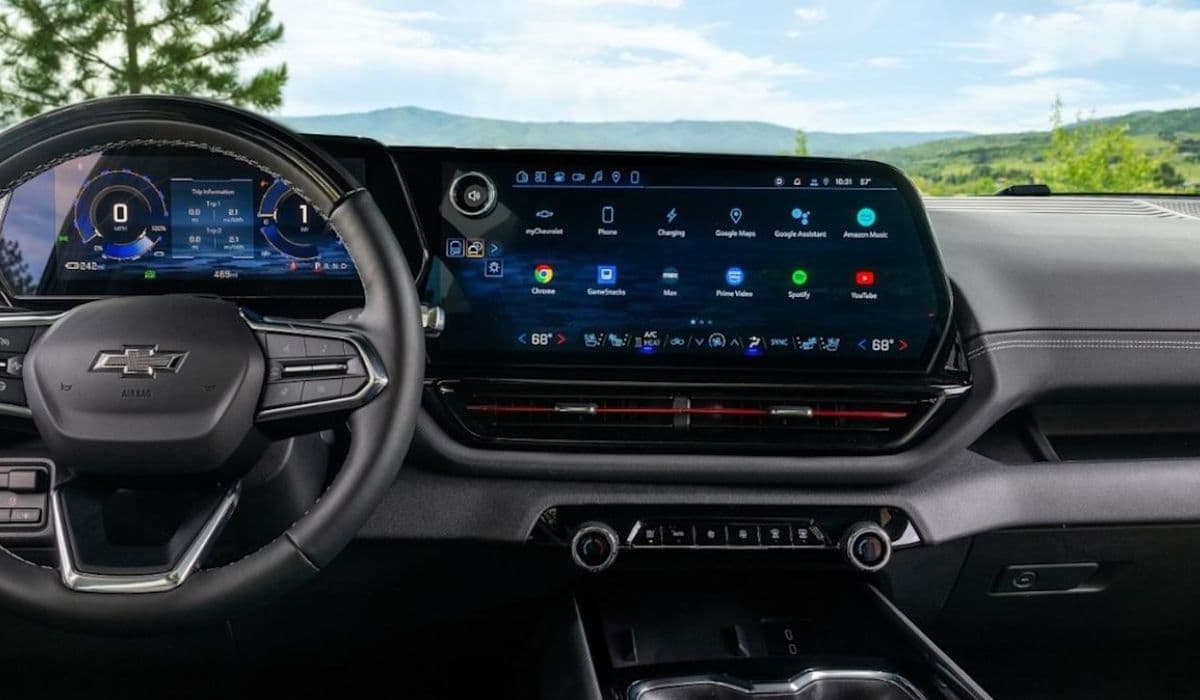
Modern vehicles have transformed the driving experience through advanced infotainment systems, and Chevrolet has embraced this evolution by integrating Google built-in technology into many of its models. This native embedding of Google services directly into the dashboard represents a shift from traditional smartphone mirroring, offering a more embedded ecosystem for navigation, entertainment, and voice control. Drivers can access familiar Google tools without constantly relying on their phones, creating a streamlined interface that feels like an extension of daily digital life.
Understanding Google Built-In in Chevrolet Vehicles
Google built-in powers Chevrolet's latest infotainment setup, replacing older systems with a platform running on Android Automotive OS. Key components include Google Assistant for voice commands, Google Maps for navigation, and access to the Google Play Store for downloading apps. The system features large touchscreens with intuitive tile-based layouts, persistent controls for quick access, and integration with vehicle functions like climate settings.
Setup involves signing into a Google account, which personalizes the experience by syncing preferences, contacts, and playlists. Over-the-air updates keep the software current, adding new features or refining performance. This approach aims to deliver a phone-like familiarity while operating independently of a connected device, ensuring functionality even if a smartphone is left behind.
Key Advantages of Google Built-In
The strengths of this system shine in its seamless integration and user-friendly design, making everyday drives more convenient and enjoyable.
Superior Navigation with Google Maps: Real-time traffic updates, accurate routing, and points-of-interest search outperform many built-in systems, with dynamic rerouting and speed limit displays enhancing safety.
Hands-Free Voice Control via Google Assistant: Natural language processing allows effortless control of music, calls, texts, and vehicle settings, reducing distractions far better than older voice systems.
Direct App Access from Google Play: Download favorites like Spotify or podcasts directly, streaming without phone dependency for consistent performance.
Intuitive Interface and Responsiveness: Clean menus, quick loading, and physical knobs for volume combine with touchscreen ease, earning praise for logical navigation.
Personalization and Profiles: Multiple user profiles switch automatically, maintaining individual settings for a tailored experience across drivers.
These elements create a cohesive ecosystem that feels modern and reliable for tech-savvy users.
Potential Drawbacks and Limitations
Despite its innovations, Google built-in has notable shortcomings that may frustrate certain drivers.
No Support for Apple CarPlay or Android Auto: In models like electric vehicles, the absence of phone mirroring forces reliance on native apps, limiting access to preferred interfaces or full app libraries.
Dependency on Vehicle Data Connectivity: Full functionality requires an active connection; without it, features like live maps or assistant responses become unavailable.
Limited App Ecosystem: The Google Play Store for automotive offers fewer options than mobile versions, lacking popular streaming services or games for stationary use.
Occasional Glitches and Reliability Issues: Reports of freezes, reboots, or slow responses highlight early software immaturity, though updates address many problems.
Privacy and Account Requirements: Mandatory Google sign-in raises data collection concerns, with the system tied closely to personal accounts.
These factors can make the transition challenging for those accustomed to smartphone projection.
How It Compares to Traditional Infotainment
Compared to older Chevrolet systems or competitors using phone mirroring, Google built-in offers deeper integration but sacrifices flexibility. Traditional setups rely on CarPlay or Android Auto for familiarity, ensuring broad app compatibility. In contrast, Chevrolet's approach provides standalone operation and superior voice recognition but feels restrictive without mirroring options.
For Android users, the native experience aligns perfectly, while iPhone owners may miss seamless syncing. The interface often receives high marks for speed and design, with awards highlighting its ease of use over cluttered alternatives.
Real-World User Experiences
Feedback from owners varies, reflecting diverse preferences. Many praise the fluid navigation and voice commands, noting how Google Maps excels in trip planning, especially for charging stops in electric models. The large screens and quick responses make daily interactions enjoyable.
However, some report frustration with the lack of phone integration, describing setup as cumbersome and app selection as underwhelming. Glitches, though less common after updates, still occur, disrupting flows. Overall, satisfaction tends to be higher among those fully embracing the Google ecosystem.
Google built-in in Chevrolet infotainment marks a bold step toward embedded connectivity, delivering impressive navigation and voice features while introducing trade-offs in flexibility and app variety. It suits drivers seeking a standalone, voice-driven system but may not appeal to everyone in a mirroring-dominated landscape.
More from Chevrolet
Chevrolet ownership costs: Low maintenance vs repair surprises
11.01.2026 16:29
Chevrolet overall reliability: Strong in trucks per recent studies
11.01.2026 13:23
Chevrolet Equinox EV: Charging experience and Tesla compatibility
11.01.2026 11:46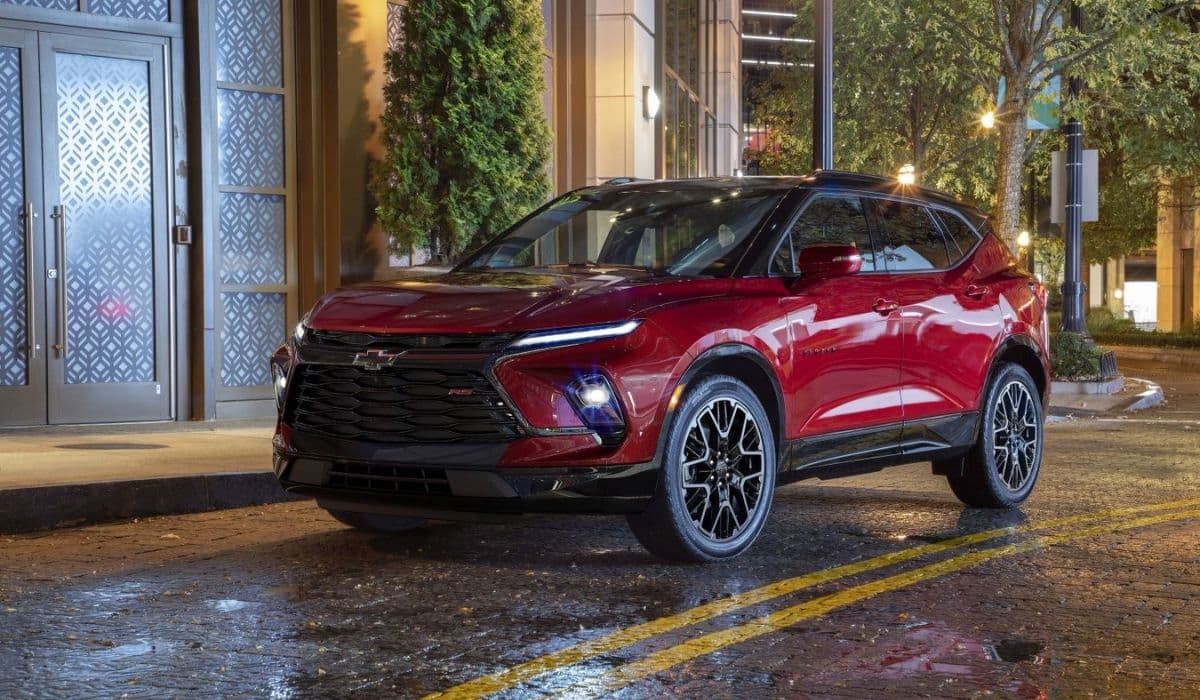
Stylish midsize SUV but narrow seats: Chevrolet Blazer
11.01.2026 06:51
Chevrolet Suburban: Ultimate space vs fuel economy trade-off
10.01.2026 11:34