How to fix windshield wiper stutter or parking issue Tesla
Tesla vehicles deliver exceptional performance and innovative features, but like any car, they can experience minor issues with windshield wipers. Two common complaints among owners are wiper stutter—where the blades jerk, skip, or chatter across the glass—and parking problems, where the wipers don't return to their proper resting position. These issues can reduce visibility and become frustrating during rainy drives. Fortunately, most can be resolved with simple maintenance or adjustments.
Understanding Wiper Stutter in Tesla Models
Wiper stutter often occurs when the blades don't glide smoothly, causing a juddering motion. This is particularly noticeable in light rain or mist, where there's just enough moisture to activate the wipers but not enough for seamless operation. In Tesla cars, including Models 3, Y, S, and X, several factors contribute to this.
The curved windshield design requires precise blade pressure and flexibility. Factory-fresh glass sometimes has a subtle protective coating that increases friction until it wears in naturally. Contaminants like road film, pollen, or residues from detailing products can exacerbate the problem. Even high-quality silicone blades can harden slightly over time or accumulate debris.
Owners frequently report that stutter worsens after the car sits unused for weeks, allowing buildup on the glass. Interestingly, the issue tends to diminish after extended use in wet conditions, as the blades "break in" and the surface smooths out.
Common Causes of Wiper Parking Issues
Parking issues happen when wipers fail to settle correctly at the bottom of the windshield after turning off. They might stop too high, too low, or overlap improperly. This can lead to incomplete clearing or blades resting in view.
Misalignment of the wiper arms is a primary culprit, often from factory variations or minor impacts. In colder weather, ice buildup can interfere, though Tesla's heated wiper park area helps mitigate this. Software glitches occasionally affect the motor's parking circuit, preventing precise return. Worn components in the linkage system may also play a role over high mileage.
These problems don't typically indicate major failure but can annoy drivers and slightly impair aerodynamics or aesthetics when parked.
Step-by-Step Troubleshooting for Stutter
Start with the easiest fixes before escalating.
Thoroughly clean both the windshield and blades using isopropyl alcohol wipes to remove oils, wax residues, or contaminants.
Avoid products with hydrophobic coatings on the glass, as they can increase skipping.
Activate the washer fluid generously while running the wipers on high speed to flush away buildup.
Inspect blades for wear, cracks, or hardening; even new ones can benefit from cleaning the rubber edges.
If stutter persists:
Enter Wiper Service Mode via the touchscreen (Controls > Service > Wiper Service Mode ON) to raise the arms for better access.
Gently clean under the blades and along the arms.
Test in various speeds—higher settings often mask the issue temporarily by overcoming friction.
Many owners find that consistent use in rain resolves stutter over time as surfaces condition naturally.
Adjusting Wiper Arms for Better Performance and Parking
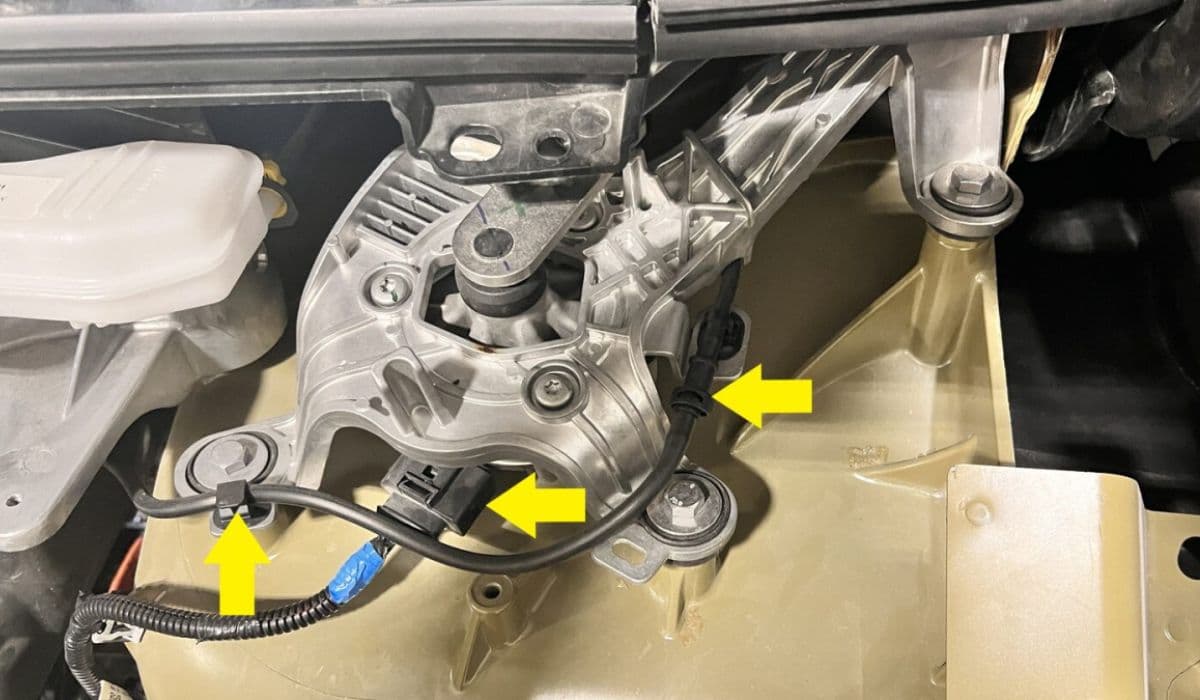
For persistent stutter or improper parking, arm alignment is key. Tesla service manuals outline a precise process using a special tool, but careful DIY adjustments can help.
Put the vehicle in Park and enable Wiper Service Mode.
Carefully lift the arms (avoid overextending to prevent spring damage).
Check if blades sit flat against the glass with even pressure.
If one side chatters more, a slight twist or bend in the arm—just a few degrees—can improve contact angle, allowing the rubber to flip properly during reversal.
For parking fixes:
Observe the resting position against any faint marks on the glass edges.
If off, loosen the base nut (accessible under the cowl panel), reposition the arm slightly, and retighten while testing cycles.
Proceed cautiously to avoid worsening alignment. Videos from owner communities demonstrate these tweaks effectively.
When to Seek Professional Tesla Service
If basic cleaning and adjustments don't resolve the issues, schedule mobile or center service. Technicians can:
Perform deep glass decontamination, like clay barring, to remove embedded contaminants.
Replace blades with exact OEM equivalents.
Use proprietary tools for precise arm angle calibration (often to specific degrees like -4 for optimal sweep).
Diagnose motor or linkage problems if parking fails consistently.
Software updates occasionally refine wiper motor control, reducing jerkiness in auto mode. Keep your vehicle updated for potential improvements.
Preventive Maintenance Tips for Smooth Wipers
Regular care keeps wiper issues at bay.
Clean the windshield frequently with plain water or mild solutions.
Wipe blades periodically with alcohol.
Use only recommended washer fluid without additives that leave films.
In dry periods, occasionally run wipers with fluid to prevent drying out.
Park with Wiper Service Mode enabled in freezing conditions to aid defrosting.
These habits ensure reliable operation across seasons.
Addressing wiper stutter or parking quirks restores clear visibility and driving confidence in your Tesla.