2024 Toyota Tacoma i-FORCE MAX Battery Drain Fix – Complete Owner’s Guide
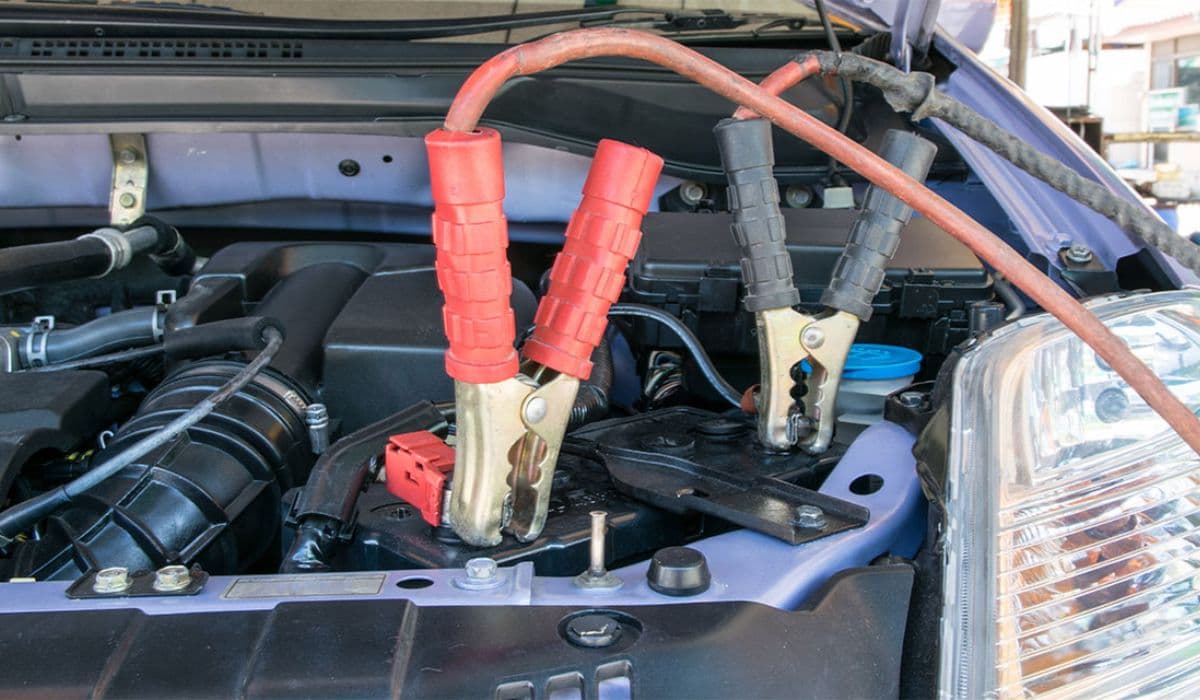
The i-FORCE MAX powertrain brings impressive hybrid performance to the Tacoma lineup, combining a turbocharged engine with electric assistance for strong torque and efficiency. However, many owners encounter an unexpected challenge: the 12-volt battery draining faster than anticipated, sometimes leaving the truck unable to start after just a few days of sitting. This issue appears across various trims and can trigger warning lights, system malfunctions, or no-crank situations.
Understanding the unique electrical architecture helps explain why this happens more frequently in hybrid models. Unlike traditional setups, the i-FORCE MAX relies on a DC/DC converter (rather than a conventional alternator in the classic sense) to maintain the 12-volt battery while the hybrid system manages high-voltage operations. When everything functions correctly, the battery stays charged during drives and enters a low-power sleep mode when parked. Real-world use patterns, software behaviors, and occasional component quirks can disrupt this balance.
Common Symptoms of Battery Drain in the i-FORCE MAX
Recognizing the signs early prevents being stranded and helps narrow down causes:
The truck fails to start after sitting for 2–5 days, even with minimal accessory use.
Dashboard warning messages appear, such as “System Malfunction” or charging-related alerts.
The 14-inch infotainment screen stays illuminated longer than expected after shutdown or fails to power down fully.
Voltage readings show below 12.4 volts after short sits, despite recent driving.
Accessories like power running boards, tailgate, or interior lights respond sluggishly or not at all.
These symptoms often escalate gradually, starting with occasional slow cranks before progressing to complete no-starts.
Primary Causes Behind Excessive Drain
Several factors contribute to this problem in the i-FORCE MAX-equipped Tacoma:
Weak or Defective 12-Volt Battery Cells — Even new batteries can develop bad cells that hold surface charge during tests but collapse under real load or overnight. Hybrid models place unique demands on the auxiliary battery due to frequent module wake-ups.
Parasitic Draw from Modules — Components such as the Data Communication Module (DCM), infotainment system, or body control modules may not fully enter sleep mode. This draws 100–300 mA continuously instead of dropping below 50 mA.
Infotainment and Display Glitches — The large touchscreen occasionally remains active or partially powered after engine shutdown, consuming significant current.
Charging System Inconsistencies — The DC/DC converter sometimes fails to fully replenish the 12-volt battery during short trips or low-load driving, especially in eco-oriented modes.
Software-Related Behaviors — Early firmware versions in some modules can prevent proper power-down sequencing, leading to extended draw periods.
Additional contributors include aftermarket accessories, though many reports involve stock configurations.
Step-by-Step Diagnostic Process
Diagnosing battery drain systematically saves time and avoids unnecessary part replacements.
Verify Battery Health First Use a digital multimeter to check resting voltage after the truck sits overnight: healthy readings fall between 12.6–12.8 volts. If below 12.4 volts consistently, suspect the battery itself.
Perform a Parasitic Draw Test
Turn off all accessories and exit the vehicle; let it sit for 30–60 minutes to allow modules to sleep.
Disconnect the negative battery cable.
Set your multimeter to DC amps (10A scale initially).
Connect the meter between the negative terminal and cable.
Normal draw should settle under 50 mA (0.05 A) after a few minutes. Higher readings indicate a parasitic issue.
Isolate the Culprit Pull fuses one by one while monitoring the meter. When the draw drops significantly, trace the circuit (common ones include those tied to the body ECU, DCM, or infotainment). Avoid unnecessary fuse pulling without monitoring, as it can wake systems.
Check for Software Updates Visit a dealership for a full scan tool diagnostic. Technicians can check for pending updates to modules that control power management or communication features.
Monitor Voltage During Drives Observe the dash voltmeter or use an OBD-II scanner. Sustained readings near the middle range during operation indicate proper charging; consistently low suggests converter or battery concerns.
Practical Fixes and Prevention Strategies
Once identified, most drain issues respond well to targeted solutions:
Battery Replacement — If load testing reveals weak cells (even if open-circuit voltage appears normal), install a fresh OEM-spec battery. Many owners report this alone resolves recurring no-starts.
Force Module Sleep and Resets — Disconnect the battery for 15–30 minutes to reset modules. Some owners repeat this periodically if glitches recur.
Address Infotainment Quirks — Manually power off the display via settings before shutdown if it lingers. Software patches often eliminate this behavior.
Minimize Short Trips — Longer drives allow better charging recovery. Use sport mode occasionally for higher output if you frequently do city driving.
Storage Best Practices — For extended periods without use, consider a smart maintainer connected to the battery (follow hybrid-specific guidelines to avoid conflicts with the DC/DC system).
Aftermarket Safeguards — Install a battery disconnect switch for occasional long-term parking, or add a low-voltage cutoff device for accessories.
Regular monitoring with a simple voltmeter app or Bluetooth battery sensor helps catch drops early.
Long-Term Maintenance Tips for Reliable Starts
To keep your i-FORCE MAX Tacoma dependable:
Drive at least 20–30 minutes weekly at highway speeds to maintain full charges.
Clean battery terminals annually to prevent resistance buildup.
Avoid leaving high-draw accessories plugged in overnight.
Stay proactive with dealership visits for any emerging TSBs related to electrical or charging systems.
Track voltage trends in a notebook or app to spot patterns before failure.
Many owners who address the root cause—whether a simple battery swap or software refinement—enjoy trouble-free operation afterward. The hybrid system's strengths far outweigh these manageable quirks when properly maintained.
More from Toyota
How to Fix a Toyota Sienna Sliding Door Cable Snap – Complete DIY Repair Guide
08.12.2025 13:44
Highlander Hybrid Battery Cooling Fan Cleaning: Complete Step-by-Step Guide
08.12.2025 12:56
Permanent Fix for Toyota 4Runner Liftgate Window Rattle (5th Gen 2010–2024)
08.12.2025 12:51
How to Fix Toyota Corolla Cross Wind Noise with a Simple Door Seal Modification
08.12.2025 12:47
RAV4 Hybrid Inverter Coolant Bleed Procedure: Complete Step-by-Step Guide
08.12.2025 10:31