Honda Accord: Infotainment Reboot Loop Fix Tips
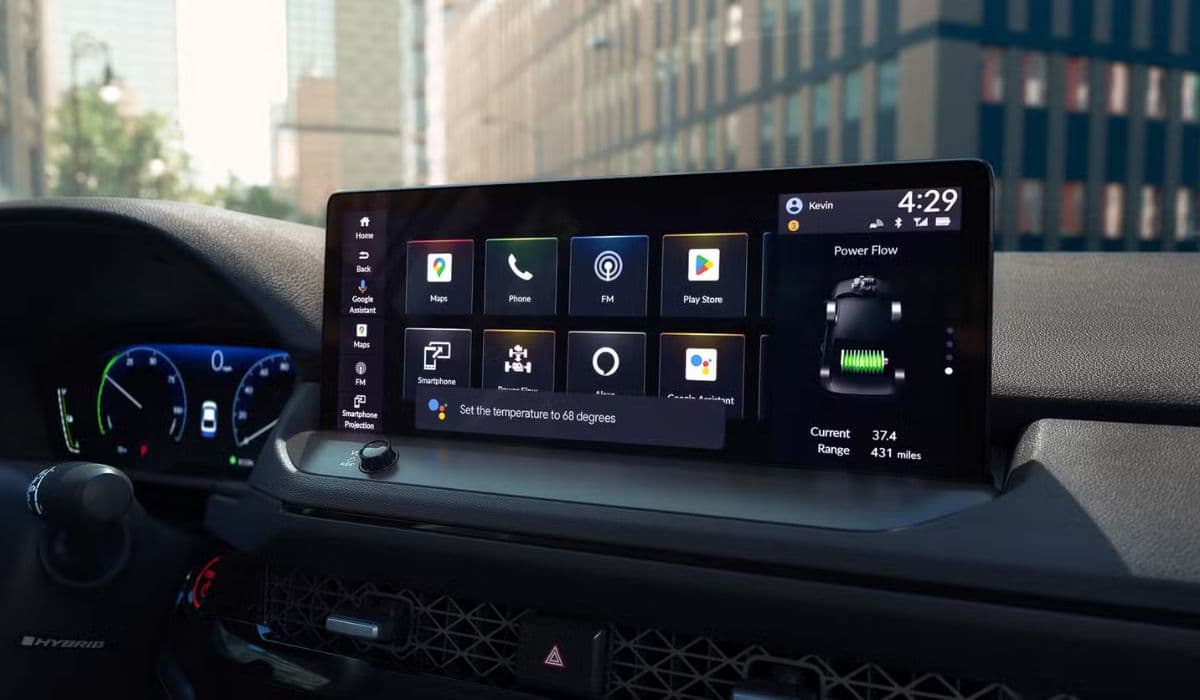
The infotainment system in your Honda Accord serves as the central hub for navigation, audio, connectivity, and vehicle settings, blending technology with driving convenience. However, a frustrating problem many owners encounter is the reboot loop, where the screen repeatedly restarts without stabilizing. This glitch disrupts everything from Bluetooth pairing to rearview camera functionality, turning a smooth drive into a tech nightmare.
Imagine cruising down the highway, expecting your favorite playlist to kick in, only for the display to flicker and reset endlessly. This issue isn't just annoying; it can compromise safety by distracting you from the road. Typically affecting models from 2018 onward, the reboot loop often stems from software glitches, hardware conflicts, or environmental factors. Recognizing early signs—like delayed startups or frozen interfaces—can help you address it before it escalates.
What makes this problem intriguing is its variability. Some drivers report it happening sporadically after long trips, while others notice it during cold starts. The system's complexity, integrating Android Auto, Apple CarPlay, and Honda's proprietary software, creates multiple points of failure. By delving into the root causes, you can approach fixes with confidence, restoring your Accord's tech prowess.
Common Causes of the Reboot Loop
Pinpointing why your Honda Accord's infotainment system enters a reboot loop requires examining several potential triggers. These aren't always obvious, but understanding them empowers you to troubleshoot effectively.
Software bugs: Outdated firmware can lead to instability, especially if recent updates introduced incompatibilities with connected devices.
Overheating: Prolonged exposure to high temperatures, such as parking in direct sunlight, might cause components to malfunction and trigger resets.
Faulty connections: Loose USB cables or Bluetooth interference from nearby electronics can disrupt the system's operation.
Battery issues: A weak or aging battery may not supply consistent power, leading to voltage drops that force reboots.
Memory overload: Running multiple apps simultaneously, like navigation and streaming, can overwhelm the system's RAM, causing loops.
Hardware wear: Over time, internal components like the head unit's processor might degrade, exacerbating the problem in older Accords.
These causes often interplay, making diagnosis a puzzle worth solving. For instance, a combination of software lag and heat buildup could mimic a more severe hardware failure.
Basic Troubleshooting Steps
Before diving into complex solutions, start with straightforward fixes that many Honda Accord owners have found effective. These steps require minimal tools and can often resolve the reboot loop in minutes.
Restart the vehicle: Turn off the engine, wait 30 seconds, and restart. This simple action clears temporary glitches.
Disconnect accessories: Remove all USB devices, phones, and external media. Reconnect one at a time to identify culprits.
Check for updates: Access the settings menu (if accessible) to manually check for software updates, ensuring your system runs the latest version.
Reset the infotainment: Hold the power button for 10-15 seconds until the screen goes blank, then release to initiate a soft reset.
Inspect fuses: Locate the fuse box under the dashboard and verify the infotainment-related fuses aren't blown or loose.
Clear cache: If the system allows, navigate to app settings and clear cached data for built-in applications.
Patience is key here—perform each step methodically, testing the system after every one. Many users report immediate relief after these basics, turning a persistent issue into a quick win.
Advanced Fixes for Persistent Problems
If basic steps fall short, escalate to more involved techniques that target deeper issues in your Honda Accord's infotainment setup. These methods demand a bit more time but can yield lasting results.
Perform a factory reset: Backup essential data first, then use the system's menu to restore default settings, erasing accumulated errors.
Update via USB: Download official firmware from reliable sources onto a formatted USB drive and install it through the vehicle's port.
Check wiring harness: Gently inspect behind the dashboard for any pinched or corroded wires that might be causing intermittent connections.
Battery terminal cleaning: Disconnect the battery, clean terminals with a brush, and reconnect to eliminate power fluctuations.
Use diagnostic tools: Borrow or purchase an OBD-II scanner to read error codes specific to the infotainment module.
Environmental adjustments: Install sunshades or park in shaded areas to mitigate heat-related reboots during warmer months.
These advanced tactics often reveal hidden problems, like subtle electrical interference, transforming your troubleshooting into a detective-like endeavor.
Preventive Measures to Avoid Future Issues
Keeping your Honda Accord's infotainment system loop-free involves proactive habits that extend its reliability. Adopting these can prevent recurrence and enhance overall performance.
Regular maintenance: Schedule routine vehicle check-ups to catch battery or electrical issues early.
Mindful connectivity: Limit simultaneous device pairings and use high-quality cables to reduce strain on the system.
Temperature control: Avoid extreme heat or cold by using climate control features before starting the engine.
Software hygiene: Periodically review and uninstall unused apps or integrations that could bog down resources.
Protective accessories: Invest in screen protectors or dashboard covers to shield from dust and direct sunlight.
Driving routines: Incorporate short breaks during long drives to allow the system to cool and reset naturally.
By integrating these into your routine, you'll not only sidestep reboot loops but also enjoy a more seamless driving experience, making every journey in your Accord more enjoyable.
When to Seek Professional Help
Sometimes, despite your best efforts, the reboot loop persists, signaling a need for expert intervention. Persistent symptoms like accompanying error messages or integration failures with other vehicle systems warrant a visit to a certified technician. They can access proprietary diagnostic tools to uncover issues beyond DIY reach, ensuring your Accord's infotainment returns to peak form without unnecessary guesswork.
More from Honda
How to Fix 11th Generation Honda Civic Screen Delamination (2022–2024 Models)
08.12.2025 12:32
How to Disable Honda Walk Away Auto Lock Forever
08.12.2025 12:44
Honda CR-V: Rear Differential Fluid Change for AWD Models
24.12.2025 06:39
Honda Civic Low Beam Headlight Bulb Replacement Trick That Saves Hours and Broken Clips
08.12.2025 09:38
How to Clean the Honda Accord Hybrid Battery Fan Yourself – Full DIY Guide
08.12.2025 08:55