How to Disable Honda Walk Away Auto Lock Forever
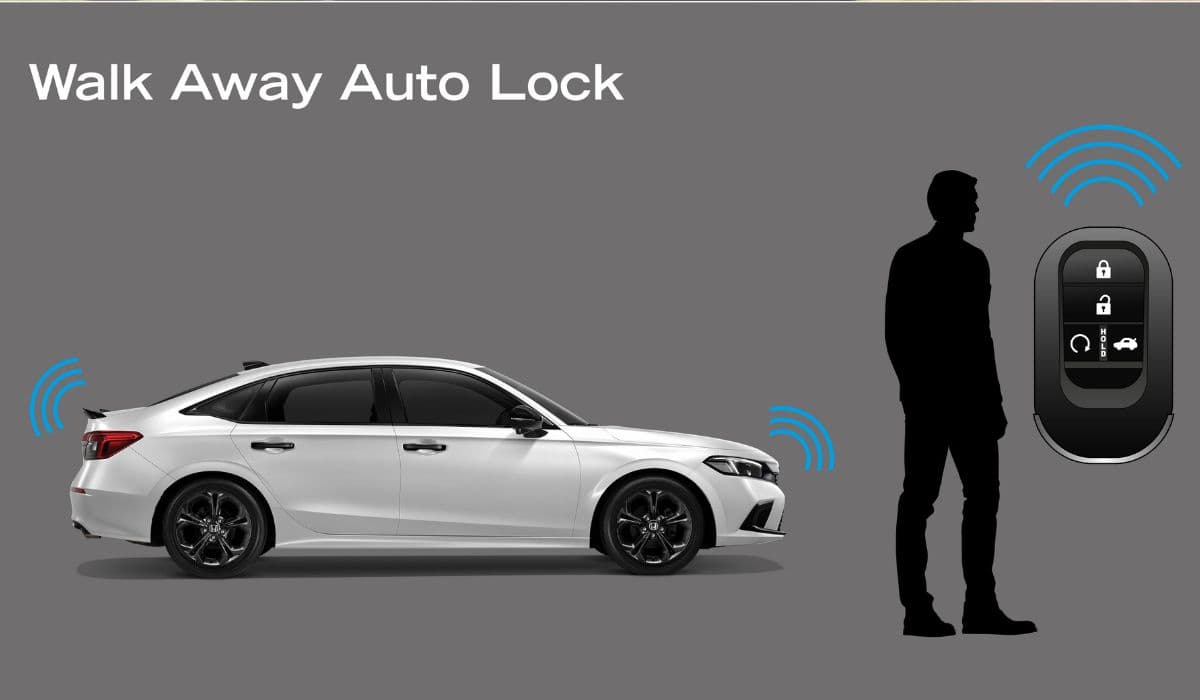
The Honda Walk Away Auto Lock feature, introduced on most models starting from the 10th-generation Civic and now standard across Pilot, Accord, CR-V, Odyssey, HR-V, Passport, and Ridgeline, automatically locks the doors when you walk approximately 8–10 feet away from the vehicle with the key fob. While many owners love the convenience, a significant number find it frustrating – especially when loading groceries, washing the car, working in the garage, or if the system locks unexpectedly with keys or pets inside. Fortunately, there are several proven methods to permanently disable this feature without affecting warranty or other functions.
Understanding How Walk Away Auto Lock Actually Works
The system relies on low-frequency (LF) antennas located in the door handles, rear bumper, and interior. When the ignition is turned off and the driver’s door is opened and then closed, the car enters “walk-away ready” mode. It continuously pings the key fob using 125 kHz LF signals. As long as the fob is detected inside or very close to the vehicle, the doors stay unlocked. Once the fob moves beyond the detection bubble (typically 2–3 meters), the car honks once and locks all doors lock.
This is completely independent from the traditional Auto Door Lock/Unlock settings that control locking when shifting into Park or reaching speed. Disabling those settings in the head unit does NOT affect Walk Away Auto Lock.
Method 1: Using the Driver Information Interface and Door Switch Combo (Works on 2018+ Civic, Accord, CR-V, Odyssey, Pilot, Insight)
This is the only fully official, reversible, and warranty-safe method that disables the feature permanently until you decide to turn it back on.
Steps (exact sequence matters):
Sit in the driver’s seat and close all doors.
Turn the ignition to ON (press START twice without pressing the brake, or turn the key to position II).
On the steering wheel, press the HOME button, then go to Settings → Vehicle → Door/Window Setup → Walk Away Auto Lock.
Change the setting from “On” (or “Enable”) to “Off”.
If the option is already grayed out or missing, proceed to the hidden sequence below.
With the ignition still ON, press and hold the driver’s door lock button (the physical rocker switch on the driver’s door panel) for 10 full seconds.
While still holding the lock button, quickly cycle the driver’s door twice: open → close → open → close.
Keep holding the lock button. You will hear a single long beep from the car and the Walk Away Auto Lock icon on the dashboard will flash several times.
Release the button. The feature is now permanently disabled (stored in the MICU – Multiplex Integrated Control Unit).
To re-enable, simply repeat the exact same procedure – the car will beep twice and the feature will return.
This hidden procedure works on virtually all 2018–current Honda models equipped with the feature, including 11th-gen Civic, 2023+ CR-V and HR-V, 2023+ Pilot and Accord.
Method 2: Using the Hidden Diagnostic Menu on Color TFT Displays (2019+ Models)
Many newer Hondas with the 7-inch or 9-inch color touchscreen have a secret engineering menu that lets you toggle the feature at a deeper level.
Ignition ON (engine running is fine).
On the home screen, tap and hold the top-left corner of the screen for 15 seconds until the “Detail Information & Setting” menu appears.
Choose “Factory Setting” → enter password 4734 → OK.
Scroll to “Body Electrical” → “MICU” → “Customization” → “Walk Away Auto Door Lock”.
Change from “Enable” to “Disable”.
Press Back multiple times and confirm “Save Settings”.
The change is immediate and survives battery disconnects.
Method 3: Permanent Hardware Disable (100% Guaranteed, Slightly Invasive)
If you want to make absolutely sure the feature can never come back (for example, fleet vehicles or if you regularly lend the car), the only bulletproof solution is to interrupt the LF antenna circuit.
The easiest and fully reversible way:
Locate the interior LF antenna – it is usually a small loop antenna mounted under the center console or behind the radio (varies by model).
On most 10th/11th-gen Civics and 5th/6th-gen CR-Vs, the relevant antenna connector is a small white 2-pin plug labeled “KEYLESS ANT” behind the glovebox or under the passenger seat.
Simply unplug this connector and secure it with electrical tape.
Result: The car can no longer detect the key fob when you walk away → Walk Away Auto Lock is permanently defeated, but keyless entry, push-button start, and remote start continue to work normally because those use a different 433 MHz UHF signal.
Alternative permanent mod (popular on forums): install a small SPDT toggle switch in series with the white/green wire on the exterior driver’s door handle antenna. This lets you turn the feature on/off at will from inside the car.
Method 4: OBD-II Programmer or Honda HDS Tool (Dealer-Level Disable)
Using a compatible OBD-II tool such as Carista, OBD Auto Doctor with Honda extensions, or the official Honda Diagnostic System (HDS), you can access the MICU configuration and set:
Walk Away Auto Door Lock Function → Disabled
Auto Door Lock by Speed → Keep your preference
Auto Door Unlock → Keep your preference
This method rewrites the configuration file in non-volatile memory and is the cleanest permanent solution, often used by Honda technicians when customers complain.
Important Myths and Misconceptions
Turning off “Auto Door Lock/Unlock” in the regular settings menu does NOT disable Walk Away Auto Lock.
Removing the key fob battery or wrapping it in foil only works until you need to unlock/start the car again.
Disconnecting the 12 V battery for any length of time will NOT reset or disable the feature – the setting is stored in EEPROM.
The feature cannot be disabled through the HondaLink app.
Which Method Should You Choose?
Want free, 30-second, fully reversible → Use Method 1 (door switch combo).
Have the 9-inch touchscreen and want to feel like a hacker → Method 2.
Want absolute 100% forever disable with no chance of re-enabling → Unplug the interior LF antenna (Method 3).
Own a scan tool or don’t mind paying a tech $50 → Method 4.
All methods preserve Honda Sensing, remote start, keyless entry, and every other function. Thousands of owners on CivicX, CRVownersclub, and Odyssey forums have used these procedures daily for years with zero side effects.
Enjoy never being locked out (or locked in frustration) again.
More from Honda
How to Fix 11th Generation Honda Civic Screen Delamination (2022–2024 Models)
08.12.2025 12:32
10th Gen Honda Civic AC Compressor Clutch Replacement – Complete DIY Guide
08.12.2025 12:12
How to Permanently Fix 2008-2017 Honda Odyssey Sliding Door Cable Snap (Complete DIY Repair Guide)
08.12.2025 12:18
Honda Civic Low Beam Headlight Bulb Replacement Trick That Saves Hours and Broken Clips
08.12.2025 09:38
Honda CR-V Vibration at Idle: Why Engine Mount Replacement Is Often the Real Fix
08.12.2025 09:22