Parasitic Battery Drain Diagnosis and Fix Ford F-150
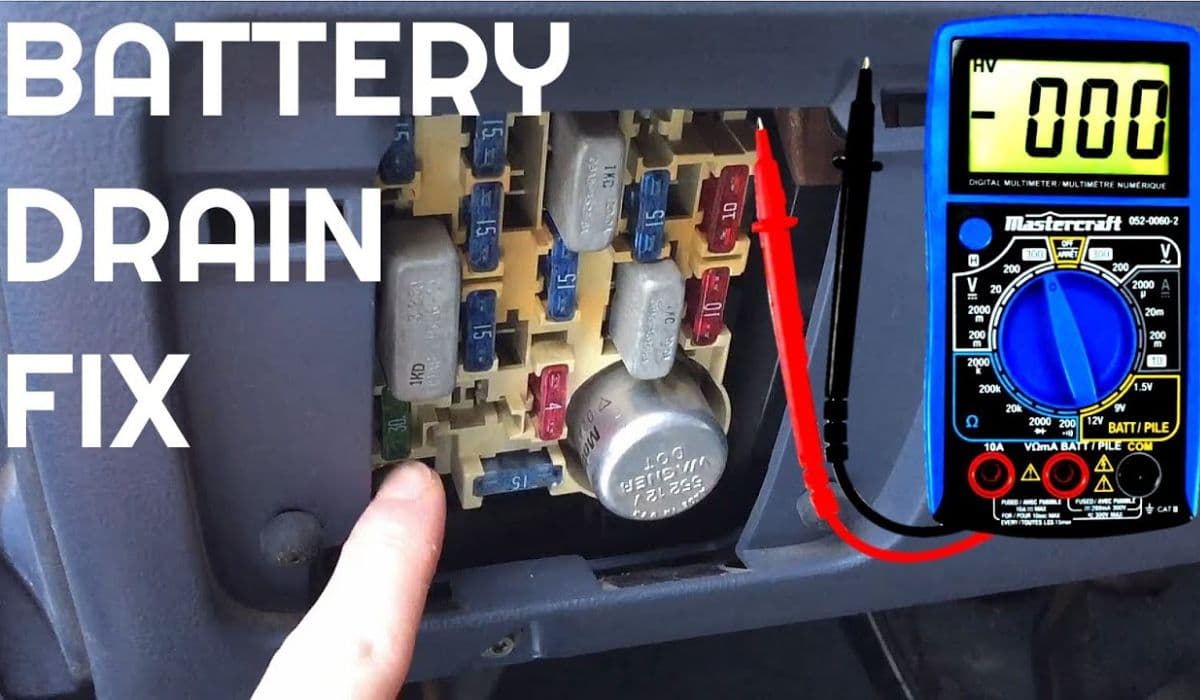
Parasitic battery drain, often called phantom drain, happens when your vehicle's electrical system draws power from the battery even after the engine is off and all accessories are shut down. In a healthy setup, a tiny amount of current—usually under 50 milliamps—keeps essentials like the clock or alarm system alive. But when it spikes higher, your battery flattens overnight or over a weekend, leaving you stranded with a dead truck.
For Ford F-150 owners, this issue can be particularly frustrating because the truck's robust build and advanced electronics make it a workhorse on the road, yet those same features introduce more potential points of failure. Imagine heading out for a early morning haul only to find your reliable F-150 won't start— that's the sneaky nature of parasitic drain at play. It's not just about inconvenience; unchecked, it can shorten battery life and strain other components.
Common Causes in Ford F-150 Models
The F-150 lineup, from the rugged XL to the tech-packed Platinum, packs in features like infotainment systems, power accessories, and towing aids that can go rogue. One frequent culprit is faulty modules in the body control system, which manages everything from lights to door locks. Over time, these might fail to enter sleep mode, sipping power continuously.
Another big offender: aftermarket additions. Many owners customize their F-150 with LED lights, winches, or stereos, but improper wiring can create unintended circuits that leak current. Alternator diodes might degrade, allowing reverse current flow back to the battery. Even something as simple as a glove box light stuck on due to a misaligned switch can drain reserves.
In older models, like those from the 2015-2020 era, corrosion on battery terminals or ground straps exacerbates the problem, especially in humid or salty environments. Newer hybrids or those with start-stop tech add complexity with auxiliary batteries and regenerative systems that might malfunction.
Spotting the Telltale Signs
Before diving into tools, recognize the red flags. Your F-150 might crank slowly or not at all after sitting idle for a day. Dashboard warnings could flicker, or accessories like the radio reset every time you start up. If the battery is relatively new but dies repeatedly, parasitic drain is likely the villain.
Other clues include dim headlights when idling or unusual electrical glitches, such as power windows moving sluggishly. Pay attention if your truck's alarm triggers randomly—it might indicate a module pulling extra juice to stay alert.
Step-by-Step Diagnosis Process
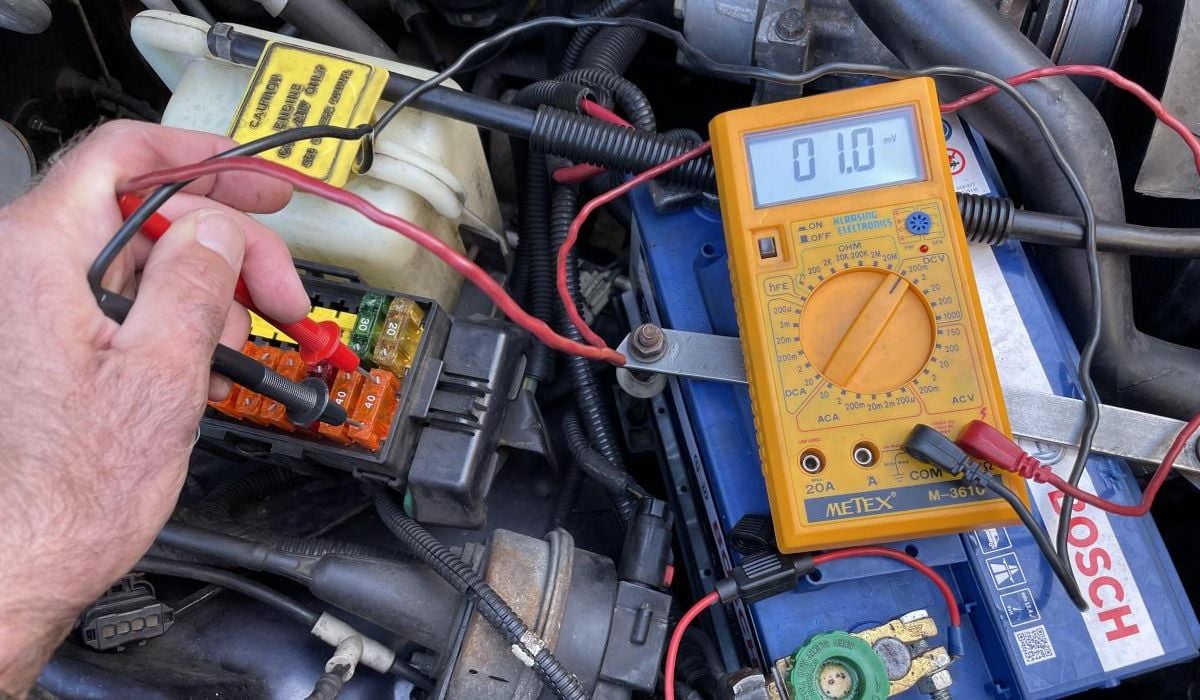
Diagnosing parasitic drain requires patience and basic tools like a multimeter, but it's empowering for any DIY enthusiast. Start by ensuring the battery is fully charged and in good health—use a tester to rule out a weak cell.
Disconnect the negative battery cable and connect your multimeter in series between the terminal and cable, set to amps mode. A reading over 50-100 milliamps signals trouble.
Systematically pull fuses one by one from the under-hood and cabin fuse boxes while monitoring the meter. When the current drops significantly upon removing a fuse, you've isolated the circuit.
Trace that circuit using your owner's manual or wiring diagrams—common ones include the radio, power seats, or trailer brake controller.
For intermittent issues, leave the setup overnight and check for spikes, perhaps using a data logger if available.
Inspect visually for chafed wires, loose connections, or water intrusion in areas like the fuse box or door harnesses.
This methodical approach turns a mysterious problem into a solvable puzzle, saving trips to the mechanic.
Effective Fixes for Identified Issues
Once pinpointed, fixes vary by cause but often restore your F-150's reliability swiftly. If a faulty module like the SYNC system is to blame, a software update or reset might suffice—power cycle by disconnecting the battery for 10 minutes.
For wiring woes from add-ons, rewire properly or install relays to cut power when off. Replace degraded alternators or diodes to prevent backflow. Clean corrosion with a baking soda solution and apply dielectric grease to terminals for protection.
In cases of stuck switches, like interior lights, adjust or replace the mechanism. For advanced electronics in recent models, a scan tool can reveal error codes pointing to specific sensors or actuators needing attention.
Preventive Strategies for Long-Term Reliability
Keeping parasitic drain at bay ensures your F-150 remains ready for adventures. Regularly inspect electrical connections during oil changes, looking for wear.
Opt for quality aftermarket parts with proper fuses and grounds to avoid introducing leaks.
Use a trickle charger for trucks parked long-term, maintaining battery health without overcharging.
Stay on top of software updates from Ford, as they often address power management glitches.
Consider adding a battery disconnect switch for seasonal storage, isolating the system entirely.
Monitor battery voltage periodically with a simple gauge to catch early drains.
By integrating these habits, your F-150 not only avoids breakdowns but performs at its peak, embodying the toughness Ford engineered into every model.
More from Ford
Ford F-150: Active Grille Shutter Maintenance and Cleaning Guide
28.12.2025 11:29
Ford Maverick Hybrid: Battery Cooling Fan Cleaning Tips
28.12.2025 08:22
Ford EcoBoost: Preventing Cam Phaser Rattle with Regular Oil Changes
28.12.2025 05:53
Ford F-150: Oil Change Interval Guide for EcoBoost Engines
27.12.2025 17:14
Ford F-150: How to Perform Tire Rotation and Balance Every 5,000 Miles
27.12.2025 14:45