Ford Maverick Hybrid: Battery Cooling Fan Cleaning Tips
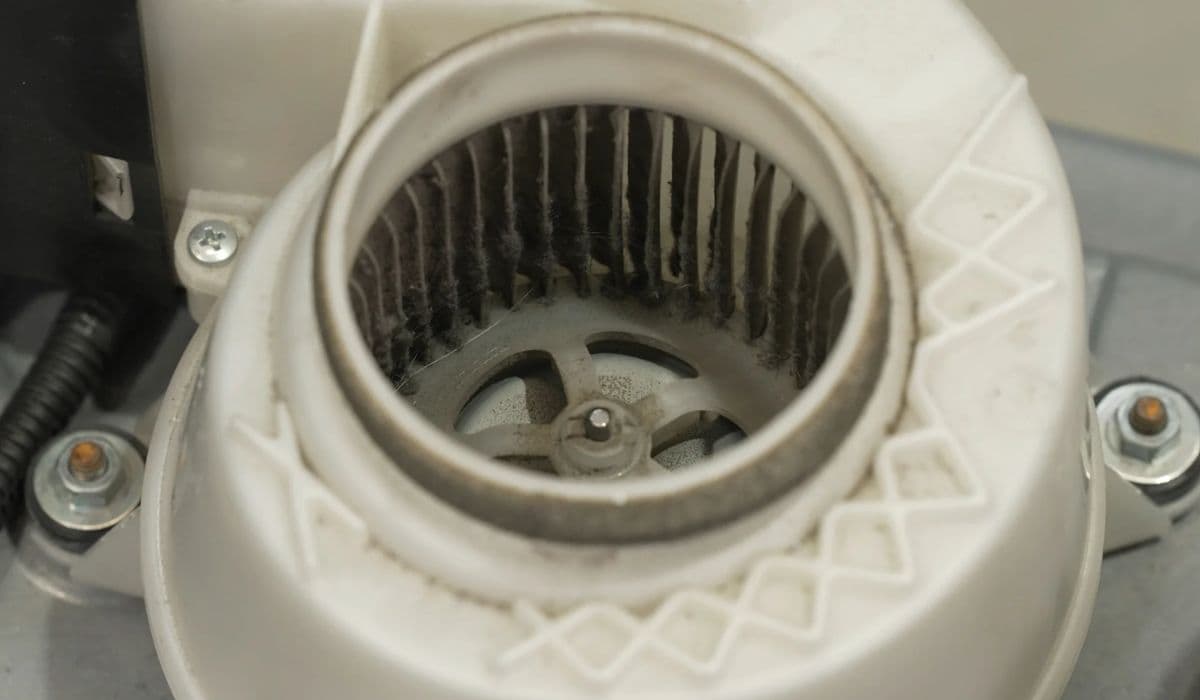
The Ford Maverick Hybrid stands out as a compact truck that blends efficiency with capability, making it a favorite among eco-conscious drivers. At the heart of its hybrid system is a sophisticated battery setup that relies on a cooling fan to maintain optimal performance. Over time, dust, debris, and environmental grime can accumulate, potentially hindering the fan's efficiency and affecting the vehicle's overall hybrid functionality. Keeping this component clean isn't just about routine maintenance—it's essential for prolonging battery life and ensuring smooth operation in various driving conditions. In this guide, we'll dive into practical, hands-on tips to help you tackle this task effectively, drawing from real-world experiences of Maverick owners who prioritize longevity and reliability.
Understanding the Battery Cooling System in the Ford Maverick Hybrid
The Ford Maverick Hybrid features a high-voltage battery pack integrated into its powertrain, designed to work seamlessly with the gasoline engine for impressive fuel economy. This battery generates heat during charging and discharging cycles, especially in demanding scenarios like towing or city stop-and-go traffic. To manage this, Ford engineered a dedicated cooling system that includes a fan, ducts, and sometimes liquid coolant elements, though the air-cooled fan is the primary focus for user-accessible maintenance.
What makes this system unique is its placement—often under the rear seat or in the cargo area, depending on the model year—allowing for better weight distribution and space efficiency in the compact truck body. The cooling fan pulls in ambient air to dissipate heat, preventing thermal throttling that could reduce power output or trigger warning lights. If neglected, a clogged fan forces the system to work harder, which might lead to increased energy consumption or even premature wear on battery cells. Enthusiasts note that regular attention here can help maintain the Maverick's EPA-rated efficiency, keeping it competitive against larger hybrids.
Why Regular Cleaning of the Cooling Fan Matters
In the world of hybrid vehicles, the cooling fan acts as a silent guardian, ensuring the battery operates within safe temperature ranges. Dust buildup from off-road adventures or daily commutes can restrict airflow, causing the fan to spin faster and louder, or worse, leading to overheating alerts on the dashboard. For Ford Maverick Hybrid owners, this isn't just a minor annoyance; it can impact regenerative braking performance and overall drivetrain harmony.
Consider the environmental factors: pollen in spring, road salt in winter, or even pet hair from hauling gear—these all contribute to fan obstruction. By cleaning it periodically, you not only enhance system reliability but also contribute to the vehicle's resale value, as a well-maintained hybrid appeals to buyers seeking trouble-free ownership. Many Maverick forums highlight stories where a simple clean resolved mysterious efficiency drops, turning a potential headache into a quick win.
Tools and Materials for Effective Cleaning
Before diving in, gathering the right tools ensures a smooth process without risking damage to sensitive components. Focus on items that are gentle yet effective for electronics.
Compressed air canister or a low-pressure air blower to dislodge loose particles without moisture.
Soft-bristle brush or microfiber cloth for wiping away stubborn residue.
Vacuum cleaner with a brush attachment to capture debris as it's loosened.
Flashlight or work light to illuminate hard-to-see areas.
Protective gloves and safety glasses to shield against dust.
Avoid harsh chemicals or high-pressure washers, as they could introduce moisture into electrical connections. Opt for ESD-safe tools if possible, though standard household items work fine for this accessible task.
Step-by-Step Guide to Cleaning the Battery Cooling Fan
Approach this with patience, as the Ford Maverick's design makes access straightforward but requires care around wiring. Start by parking on a level surface and ensuring the vehicle is off, with the key removed for safety.
First, locate the battery compartment—typically under the rear passenger seat. Lift the seat cushion by pulling the release strap, then remove any panels securing the area. Inspect visually for obvious buildup.
Next, use compressed air to blow out dust from the fan blades and vents. Hold the canister upright and apply short bursts to avoid liquid discharge. Rotate the fan gently if accessible to reach all angles.
For deeper cleaning, employ the soft brush to sweep away adhered grime, followed by vacuuming the dislodged particles. Pay attention to intake grilles, as blockages here amplify issues downstream.
Reassemble everything securely, then start the vehicle to listen for smooth fan operation. A quiet hum indicates success, while unusual noises might suggest further inspection.
This process usually takes 30-45 minutes, transforming a potentially inefficient system back to peak form.
Signs That Indicate Your Cooling Fan Needs Attention
Being proactive means watching for subtle cues that signal cleaning time. Overheating warnings on the instrument cluster are obvious, but earlier indicators include reduced hybrid mode engagement or a noticeable fan whine during idle.
Increased cabin noise from the rear, especially after long drives.
Dashboard alerts related to battery temperature.
Diminished fuel efficiency without changes in driving habits.
Visible dust accumulation when checking under seats.
Maverick drivers in dusty regions, like the Southwest, report needing cleans every six months, while urban users might stretch to annually. Tuning into these signs prevents minor issues from escalating.
Preventive Maintenance Strategies for Long-Term Performance
Beyond cleaning, incorporating habits that minimize buildup extends the intervals between deep cleans. Park in garages when possible to reduce exposure to outdoor elements, and consider aftermarket air filters if you frequent construction zones.
Schedule visual inspections during oil changes.
Use cabin air filters that trap finer particles before they reach the battery area.
Monitor battery health via the FordPass app for any anomalies.
Avoid overloading the truck in hot weather to lessen thermal stress.
These strategies not only preserve the cooling fan but enhance the entire hybrid ecosystem, ensuring the Maverick remains a versatile daily driver.
Common Mistakes to Avoid During Cleaning
Even seasoned DIYers can slip up, so steer clear of pitfalls that could complicate matters. Never clean with the battery connected—always disconnect if instructed in the manual to prevent shorts.
Rushing the process often leads to missed spots, so take time to cover all vents. Using wet cloths introduces moisture risks, potentially corroding contacts over time.
Over-tightening panels upon reassembly might stress plastic clips, leading to rattles. And ignoring manufacturer guidelines could void aspects of the warranty, though basic cleaning is generally owner-approved.
By sidestepping these, you'll keep your Ford Maverick Hybrid running efficiently, ready for whatever the road throws its way.
More from Ford
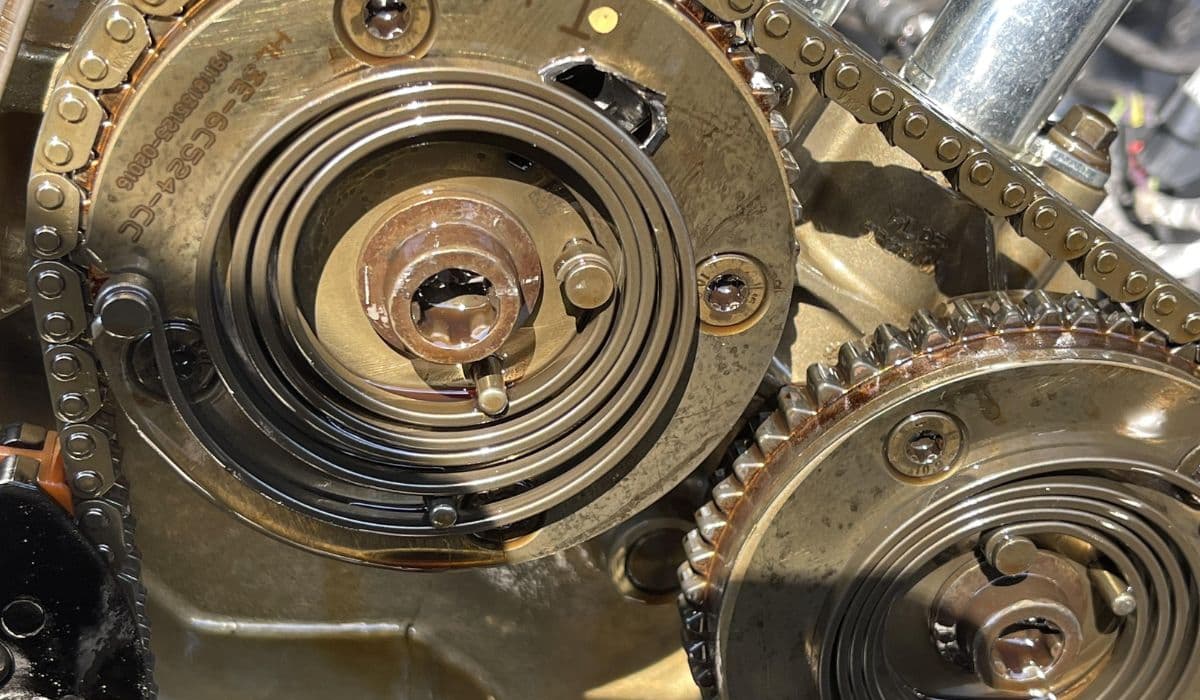
Ford EcoBoost: Preventing Cam Phaser Rattle with Regular Oil Changes
28.12.2025 05:53
Ford F-150: Oil Change Interval Guide for EcoBoost Engines
27.12.2025 17:14
Ford F-150: How to Perform Tire Rotation and Balance Every 5,000 Miles
27.12.2025 14:45
Ford 6.7L Powerstroke CP4 Pump Failure Prevention: Complete In-Depth Guide
08.12.2025 06:53
2022-2025 Ford Maverick Hybrid Battery Cooling Mod: The Ultimate Performance and Longevity Upgrade
08.12.2025 06:50