How to fix FRM footwell module lighting issues BMW
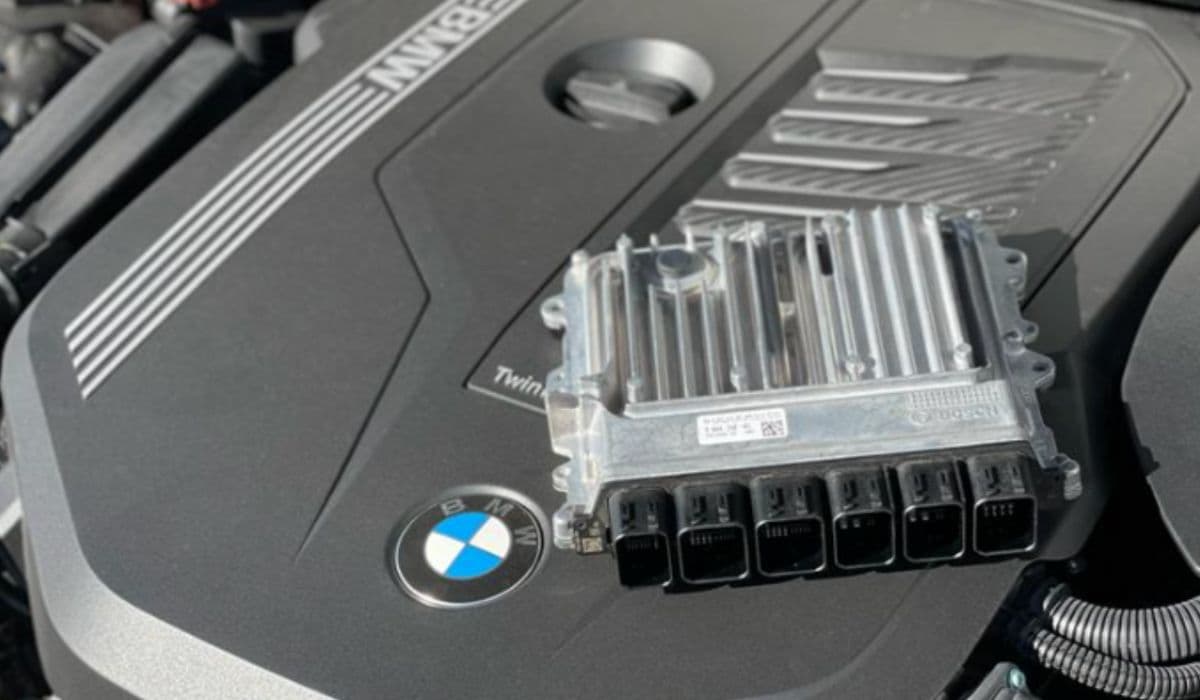
The Footwell Module (FRM), often called the light module or footwell module, serves as a central brain for numerous lighting and electrical functions in many BMW models. When it malfunctions, owners frequently notice dim or completely non-functional footwell lights—the subtle ambient illumination under the dashboard that enhances the cabin atmosphere at night. These issues rarely occur in isolation; they often signal broader problems within the FRM's complex circuitry and software management.
Understanding the FRM's role helps demystify why footwell lighting can fail suddenly. This module controls not only footwell lamps but also interior lights, door entry lighting, puddle lights, and sometimes contributes to ambient or glovebox illumination. A glitch here disrupts the entire network, turning a minor annoyance into a cascade of electrical quirks.
Common Symptoms of FRM-Related Footwell Lighting Problems
Footwell module issues manifest in patterns that BMW enthusiasts quickly recognize. Look for these telltale signs:
Footwell lights stay completely dark even when doors open or headlights activate at night
Intermittent flickering or dimming of footwell illumination before total failure
Other interior lights (dome, map, or door panel) behaving erratically or failing alongside footwell lamps
Dashboard warnings mentioning lighting system malfunctions or "stop carefully" alerts
Related failures like non-working turn signals, stuck low beams, or unresponsive power windows
These symptoms often appear after events that stress the electrical system, creating a frustrating puzzle where one small light reveals a deeper module-level issue.
Understanding Why the FRM Causes Footwell Light Failures
The FRM uses smart power distribution and monitoring for each lighting circuit. It detects anomalies like shorts, open circuits, or excessive current draw, then protects itself by shutting down outputs—including footwell LEDs or bulbs.
Common triggers include:
Low battery voltage during jump-starts or prolonged discharge
Voltage spikes from improper battery replacement or charging
Corroded connectors or water ingress near the module (located driver's side footwell)
Short circuits in downstream wiring (damaged harnesses under carpets or doors)
Software corruption in the module's EEPROM after power interruptions
Once the FRM logs repeated faults or reaches a protection threshold, it may disable footwell circuits entirely to prevent further damage. This "safe mode" behavior explains why simply replacing a bulb rarely resolves the problem.
Step-by-Step Troubleshooting Before Assuming Module Failure
Systematic checks prevent unnecessary module work. Follow this sequence:
Verify battery health and voltage (should stay above 12.4V resting, 13.8–14.4V running)
Inspect all relevant fuses in the glovebox and footwell fuse boxes—use a multimeter for continuity rather than relying on visual inspection alone
Test footwell bulbs/LEDs directly with a 12V source to rule out individual component failure
Scan the vehicle with a capable diagnostic tool to read FRM-specific fault codes (look for short-to-ground, open circuit, or bulb-out errors in footwell channels)
Check for water damage or corrosion on the FRM connectors—remove the lower dash panel carefully and inspect pins
Monitor live data in the FRM module to see if it commands footwell lights to turn on (voltage output should appear when expected)
Many cases resolve here, especially when a simple fuse, loose connection, or minor short gets overlooked.
Advanced Diagnostics: Reading and Interpreting FRM Faults
Professional-grade tools unlock deeper insights. Use software like ISTA, INPA, or similar to access the FRM module directly.
Key areas to examine:
Fault memory for recurring short circuit counters (these increment and lock outputs until reset)
Control unit status—look for "not coded" or communication errors
Output tests—command footwell lights on/off to confirm module response
Short circuit counter values—if above threshold (often 5–10), the module disables the circuit permanently until cleared
Resetting counters requires specific procedures in Tool32 or equivalent apps, as standard code-clearing won't suffice.
Effective Fixes for Footwell Lighting Issues
Once diagnostics point to the FRM, several proven approaches exist:
Reset short circuit counters using advanced coding software—this revives disabled outputs without hardware changes
Reflash or repair the module's software—specialized services reprogram corrupted EEPROM areas to restore factory functionality
Clean and reseat connectors—oxidation often mimics total failure; use contact cleaner and dielectric grease
Address underlying causes—repair any chafed wiring, replace damaged bulbs causing shorts, or fix poor grounds
In persistent cases, source a compatible used or remanufactured FRM (matching hardware number), then code it to your VIN for plug-and-play operation
Many owners successfully revive their modules through software intervention alone, avoiding full replacement.
Preventing Future FRM and Footwell Lighting Problems
Proactive habits extend module life significantly:
Always disconnect the battery negative terminal before major electrical work
Use a memory saver device during battery changes to maintain stable voltage
Keep the footwell area dry—address any leaks promptly
Regularly scan for early fault codes before symptoms worsen
Avoid cheap jump-starts without proper surge protection
These simple routines dramatically reduce the odds of recurring electrical gremlins.
Mastering FRM-related lighting challenges transforms a daunting electrical mystery into manageable maintenance. With patience and the right diagnostic approach, most footwell illumination issues yield to logical troubleshooting and targeted fixes, restoring that signature BMW cabin glow.
More from BMW
How to fix drivetrain malfunction error BMW (2025 models)
13.12.2025 06:24
How to fix oil filter housing gasket (OFHG) leak BMW
13.12.2025 06:13
How to walnut blast intake valves for carbon buildup BMW
13.12.2025 06:07
How to replace valve cover gasket oil leak BMW (common on N20/N55)
13.12.2025 05:40
How to replace thermostat and coolant flange BMW
13.12.2025 05:34