How to fix infotainment reboot loops BMW (iDrive 8/8.5)
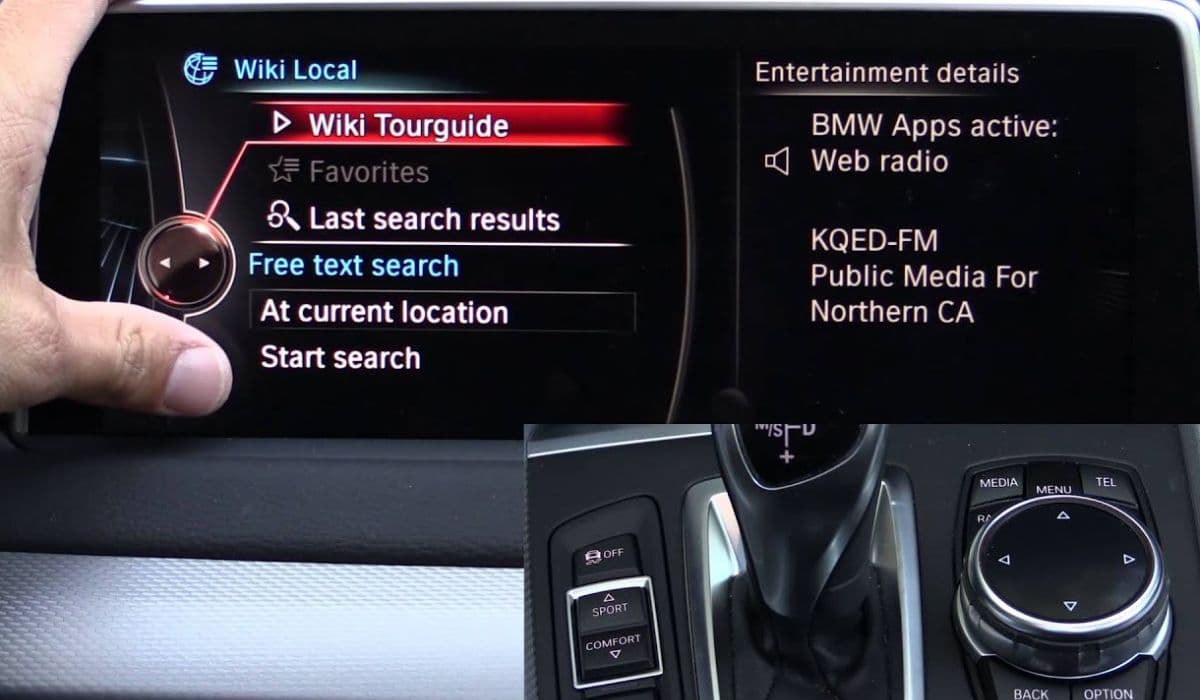
The iDrive 8 and 8.5 systems in modern BMW vehicles represent a pinnacle of automotive infotainment technology, offering seamless integration of navigation, media, connectivity, and vehicle controls. However, owners occasionally encounter frustrating reboot loops where the central display repeatedly restarts, disrupting everything from Apple CarPlay to climate settings. This issue can stem from software glitches, hardware conflicts, or environmental factors, but fortunately, many cases are resolvable without a dealership visit. In this guide, we'll explore diagnostic steps, proven fixes, and preventive measures tailored specifically to iDrive 8 and 8.5 platforms found in models like the 3 Series, 5 Series, X3, and newer electric iX variants.
Understanding iDrive Reboot Loops in BMW Vehicles
Reboot loops in iDrive 8/8.5 manifest as the screen going black, displaying the BMW logo, and restarting every few seconds or minutes. This cycle can occur during startup, while driving, or even when the vehicle is idle. Unlike a simple freeze, a loop prevents access to core functions, potentially compromising safety features like rearview cameras or heads-up displays.
iDrive 8, introduced around 2021, runs on an Android-based OS with enhanced processing power via Qualcomm Snapdragon chips. The 8.5 update refined user interfaces and added over-the-air (OTA) capabilities, but it also introduced complexities that amplify reboot risks. Common symptoms include error codes like "System Malfunction" or "Infotainment Reset Required," often logged in the vehicle's diagnostic system. Factors such as high temperatures, low battery voltage, or incompatible third-party accessories exacerbate the problem.
To diagnose, note when the loop starts: Is it after connecting a phone via USB? During software updates? Or randomly on highways? Keeping a log helps identify patterns, which is crucial for targeted fixes.
Common Causes Behind iDrive 8/8.5 Reboot Issues
Several underlying triggers contribute to these loops, based on widespread reports from BMW forums and technical bulletins. Software bugs top the list; for instance, OTA updates can corrupt files if interrupted by poor Wi-Fi or battery drain. iDrive 8.5's integration with BMW's ConnectedDrive services means server-side glitches or outdated maps can force restarts.
Hardware-related causes include faulty central information displays (CID) or head units. In some cases, loose wiring harnesses behind the dashboard vibrate loose over time, especially in vehicles with sport suspensions that endure rough roads. Overheating is another culprit—iDrive components generate heat, and if ventilation is blocked by dust or cabin clutter, thermal throttling kicks in, leading to loops.
Connectivity conflicts arise from Bluetooth or Wi-Fi interferences. Pairing multiple devices simultaneously or using non-certified USB cables can overload the system. Additionally, low vehicle battery health, common in cars left unused for weeks, drops voltage below the 12V threshold needed for stable iDrive operation. Electric models like the i4 may experience this if the high-voltage battery interacts poorly with the 12V auxiliary system.
Environmental factors play a role too. Extreme cold can stiffen components, while humidity might cause condensation on circuit boards. Third-party modifications, such as aftermarket amplifiers or dash cams hardwired into the infotainment fuse, introduce electrical noise that destabilizes the software.
Initial Troubleshooting Steps for Quick Resolution
Start with non-invasive methods to rule out simple issues. First, perform a soft reset: With the engine running, press and hold the volume knob on the iDrive controller for 20-30 seconds until the screen blanks and reboots. This clears temporary cache without erasing settings.
Next, disconnect all peripherals. Remove USB devices, unplug chargers, and unpair Bluetooth gadgets via the settings menu (if accessible during a brief stable period). Restart the vehicle and test. If the loop persists, check for pending updates. Navigate to "Settings > General > Remote Software Upgrade" and ensure the car is parked in a strong Wi-Fi area with at least 50% battery. BMW recommends downloading updates overnight to avoid interruptions.
Battery voltage is critical—use a multimeter on the 12V battery terminals; readings below 12.4V indicate a need for charging or replacement. For hybrids or EVs, consult the iDrive energy menu for auxiliary battery status. Clean connections if corrosion is present.
If the vehicle has been exposed to water or extreme weather, allow it to dry in a garage for 24 hours. Sometimes, moisture evaporates naturally, resolving the loop.
Advanced Diagnostic Techniques Using Onboard Tools
For deeper insights, leverage iDrive's built-in diagnostics. Access the hidden menu by holding the iDrive controller's back button while turning the knob clockwise three times, then counterclockwise twice. This unlocks service modes showing error logs. Look for codes like CIC-01 (communication failure) or HU-02 (head unit error), which pinpoint modules.
Scan with an OBD-II reader compatible with BMW, such as the Carly adapter or BimmerCode app. Connect to the port under the dashboard, select "Infotainment" modules, and read faults. Common ones include "Shadow Memory Overflow" from excessive data logging or "CAN Bus Timeout" from network disruptions.
Test in safe mode: Start the car with the radio off and no accessories. If stable, incrementally add features to isolate the trigger. For iDrive 8.5, enable "Developer Mode" via the secret menu to monitor CPU usage—spikes over 80% suggest a resource-hogging app.
If software corruption is suspected, force a factory reset. Go to "Settings > General > Reset Vehicle Data," but back up profiles first via BMW's cloud. This erases customizations but often clears persistent loops.
Software Updates and Firmware Fixes Specific to iDrive 8/8.5
BMW frequently releases patches for reboot issues. Check the MyBMW app or website for your VIN-specific updates. Version 07/2023.45 addressed many 8.5 loops related to Android Auto wireless connectivity. Install via OTA or USB stick downloaded from BMW's portal.
If OTA fails, prepare a USB drive (FAT32 formatted, 32GB min) with the update file. Insert into the center console port, navigate to "Software Update," and follow prompts. Ensure the engine runs throughout to maintain power.
For stubborn cases, rollback to a previous firmware if available through dealership tools, though this is rare. Community tools like E-Sys allow advanced users to code modules, disabling problematic features like gesture controls that might conflict.
Hardware Inspections and Repairs You Can Attempt
If software fixes fail, inspect hardware. Remove the glovebox (unscrew and pull) to access the head unit. Check for loose plugs—gently reseat the fiber optic MOST bus cables, which carry data between modules.
Clean vents and fans with compressed air to prevent overheating. If the screen feels hot, consider adding thermal pads, but only if you're mechanically inclined to avoid warranty voids.
Fuse checks are essential: Locate the fuse box in the trunk or under the hood, pull fuse F45 (infotainment) for 10 minutes to hard reset the circuit. Replace if blown.
For battery-related loops, trickle charge overnight or drive for 30 minutes at highway speeds to recharge.
Preventive Maintenance to Avoid Future Reboot Loops
Regular habits minimize risks. Schedule annual software checks via the MyBMW app. Keep the cabin cool—park in shade and use sunshades. Use BMW-certified accessories only; avoid cheap USB hubs.
Monitor battery health with apps like Battery Guru. Clean the iDrive screen and controller weekly to prevent dust ingress. Disable unnecessary features like ambient lighting sync if they correlate with loops.
For long-term storage, use a battery maintainer. Update connected apps promptly, as outdated Spotify or Maps integrations can crash the system.
When Professional Assistance Becomes Necessary
Persistent loops may indicate deeper faults like a failing control module or wiring shorts. Visit a BMW-certified technician for comprehensive scans using ISTA software, which accesses proprietary logs.
Warranty coverage often applies for iDrive issues within 4 years/50,000 miles. Extended plans cover electronics. Independent shops with BMW expertise can diagnose for less, but ensure they use genuine parts.
In rare cases, recalls address systemic problems—check NHTSA or BMW's site for your model. For example, some 2022-2024 models had bulletins for iDrive thermal management.
By methodically addressing these aspects, most iDrive 8/8.5 reboot loops can be resolved, restoring your BMW's infotainment to its responsive best.
More from BMW
How to fix DSC/ABS wheel speed sensor faults BMW
13.12.2025 13:46
How to replace run-flat tires and reset TPMS BMW
13.12.2025 13:40
How to fix electronic steering rack clunk BMW
13.12.2025 13:35
How to fix crankcase ventilation (PCV) valve heater BMW
13.12.2025 13:13
How to replace IBS battery sensor false errors BMW
13.12.2025 13:06