
How to clean front camera for better Autopilot Tesla
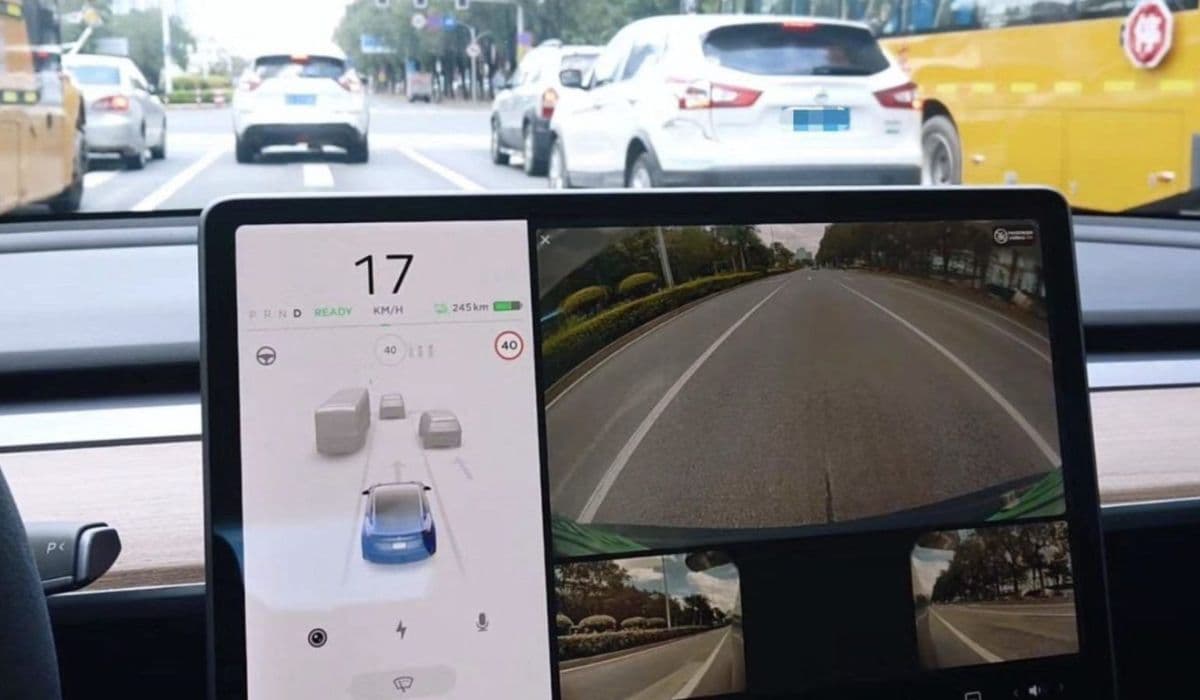
The Tesla Autopilot system relies heavily on its cameras to interpret the surrounding environment, make real-time decisions, and ensure safe driving. Among these, the three forward-facing cameras embedded behind the windshield near the rearview mirror play a critical role in detecting lane markings, traffic signs, vehicles, and pedestrians. When these front cameras get dirty, smudged, or obscured by residue, Autopilot performance can degrade noticeably—lane keeping may become erratic, traffic-aware cruise control might disengage unexpectedly, or visual warnings could appear on the dashboard. Keeping the front camera area spotless is one of the simplest yet most effective ways to maintain optimal Autopilot functionality.
Why Front Camera Cleanliness Matters for Autopilot
Tesla's vision-based Autopilot processes millions of pixels every second from the front cameras. Even minor obstructions like dust, water spots, bug residue, or fingerprint smudges can confuse the neural network, leading to reduced confidence in detections. Drivers often report issues such as phantom braking, hesitant lane changes, or temporary loss of certain features after driving through rain, dusty roads, or insect-heavy areas. Regular cleaning prevents these problems and helps the system perform as intended, providing smoother and more reliable assistance.
Common Contaminants That Affect Front Cameras
The front cameras are exposed to various elements despite being sheltered behind the windshield:
Road grime and splash-back from other vehicles
Pollen and tree sap during certain seasons
Insect impacts, especially during summer drives
Interior condensation or cleaning product overspray
Fingerprint marks from touching the windshield during interior wiping
Hard water mineral deposits after rain or car washes
Identifying the type of dirt helps choose the most effective cleaning approach.
Tools and Materials You’ll Need
Gather gentle, non-abrasive items to avoid scratching the delicate camera lenses or windshield:
High-quality microfiber cloths (preferably several clean ones)
Distilled water to prevent mineral streaks
Isopropyl alcohol diluted to 50-70% for stubborn residue
Soft lens cleaning wipes designed for optics (optional but helpful)
A small spray bottle for controlled application
Compressed air canister for dust removal (gentle bursts only)
Avoid household glass cleaners containing ammonia, as they can leave streaks or haze that interferes with camera clarity.
Step-by-Step Exterior Windshield Cleaning Near Cameras
Start from the outside since most contaminants accumulate there:
Park the vehicle in a shaded area to prevent quick drying and streaking.
Rinse the upper windshield gently with clean water to remove loose debris.
Lightly mist distilled water onto a folded microfiber cloth—never spray directly onto the windshield to avoid liquid seeping into camera housing.
Wipe in straight horizontal motions across the camera area, applying minimal pressure.
For persistent spots, dampen another cloth with diluted isopropyl alcohol and gently dab the affected zones.
Immediately follow with a dry microfiber cloth using light circular motions to buff away any remaining moisture.
Inspect from different angles under good lighting to ensure no streaks remain in the camera field of view.
Interior Cleaning Technique for Optimal Results
Interior smudges often go unnoticed but can significantly impact camera performance:
Use a fresh microfiber cloth slightly dampened with distilled water.
Fold the cloth into a small pad to reach the narrow space between the windshield and dashboard.
Gently wipe the interior surface directly in front of the camera triplet, moving from top to bottom.
Switch to a dry section of the cloth or a new one for final polishing.
Pay special attention to avoiding contact with the black camera housing itself—focus only on the glass surface.
Handling Stubborn Residue and Special Cases
Certain contaminants require extra care:
For oily films or wiper fluid residue, multiple passes with diluted isopropyl alcohol work effectively.
Tree sap or tar spots respond well to prolonged gentle dabbing rather than scrubbing.
In winter, remove ice or frost carefully with a plastic scraper held at a shallow angle, followed by proper cleaning once thawed.
After professional tinting or coatings, wait the recommended curing period before intensive cleaning in the camera zone.
Preventive Measures to Keep Cameras Clean Longer
Proactive habits reduce the frequency of deep cleaning:
Regularly wipe the windshield during routine fuel or charging stops.
Use rain-repellent treatments on the exterior windshield, applied carefully to avoid the camera area if the product warns against it.
Position wiper blades to avoid streaking across the upper section when parked.
Install a high-quality cabin air filter to minimize interior dust buildup.
Avoid smoking or using aerosol products inside the vehicle that could leave filmy residue.
When to Seek Professional Help
If cleaning doesn’t resolve Autopilot issues, other factors might be at play:
Persistent calibration warnings may require a camera recalibration drive on well-marked roads.
Physical damage to lenses or misalignment typically needs service center attention.
Software glitches sometimes mimic dirt-related problems—check for available updates first.
Troubleshooting Autopilot Performance After Cleaning
After thorough cleaning, monitor improvements during your next drive:
Observe whether lane lines appear bolder and more consistent on the visualization.
Test traffic-aware cruise control in varying conditions.
Note any reduction in disengagement warnings.
Allow the system a few miles to readjust its confidence levels post-cleaning.
Maintaining pristine front cameras ensures Tesla Autopilot operates at its full potential, delivering the seamless experience drivers expect.
More from Tesla
How to fix HVAC blend door actuator clicking noise Tesla
16.12.2025 13:16
How to fix FSD visualization lag after Tesla 2025.14 update
16.12.2025 07:02
How to fix phantom drain overnight Tesla
16.12.2025 04:50
How to replace octopus coolant leak (Tesla Model 3 2017–2020)
16.12.2025 03:21
How to replace torn rear seat bolsters Tesla
16.12.2025 03:09