
Tesla: How to fix battery contactor clicking (power loss risk)
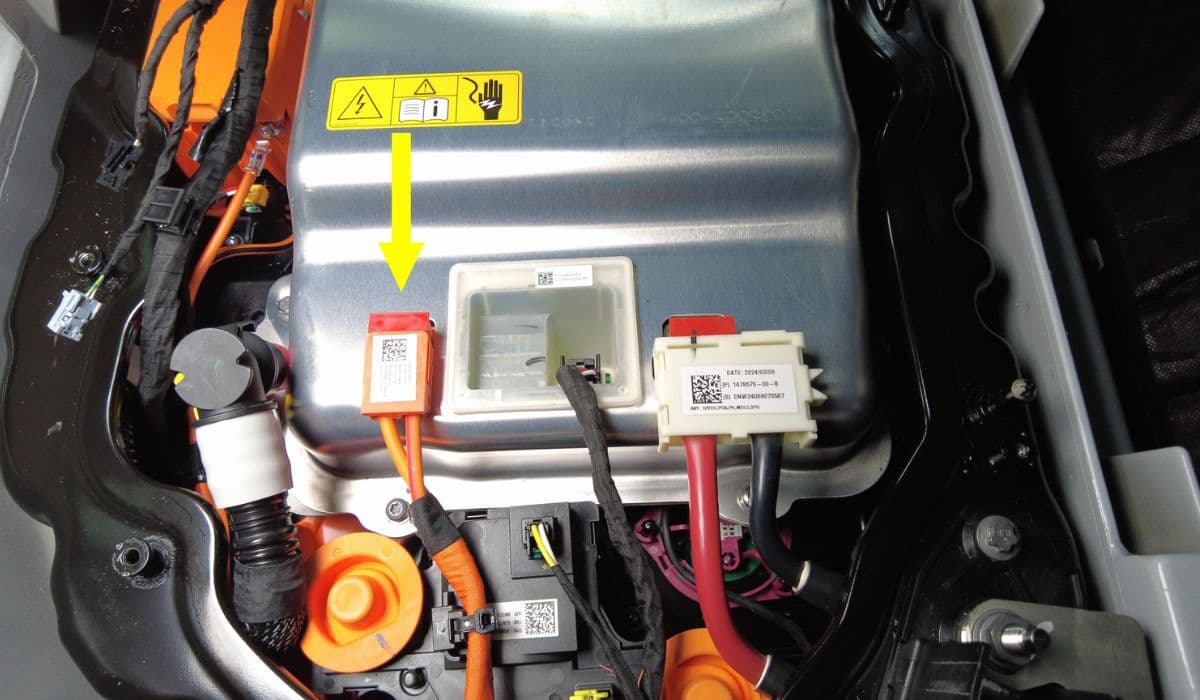
Tesla vehicles rely on a sophisticated high-voltage battery system that powers everything from acceleration to autopilot features. At the heart of this setup is the battery contactor, a crucial electrical switch that connects and disconnects the battery pack from the rest of the car's systems. Think of it as a high-tech gatekeeper: it ensures safe power distribution while preventing unwanted discharges or overloads.
In models like the Model 3, Model Y, or Cybertruck, the contactor operates silently most of the time, but when issues arise, it can produce an audible clicking noise. This sound often signals that the contactor is rapidly opening and closing, which might stem from electrical glitches or mechanical wear. Ignoring it could lead to intermittent power interruptions, affecting your driving experience on highways or during quick maneuvers.
What makes Tesla's contactor unique is its integration with the vehicle's software ecosystem. Unlike traditional cars, Tesla uses over-the-air updates to monitor and sometimes mitigate these problems, blending hardware reliability with digital intelligence for a smoother ride.
What Causes the Clicking Sound?
The clicking noise from the battery contactor isn't random; it's a symptom of underlying factors disrupting the electrical flow. Common culprits include voltage fluctuations, where the battery's output dips below optimal levels, forcing the contactor to cycle repeatedly.
Environmental conditions play a big role too. Extreme cold can thicken battery fluids, increasing resistance and triggering clicks as the system compensates. Similarly, heat buildup from prolonged fast charging might cause thermal expansion in components, leading to erratic behavior.
Software anomalies are another frequent trigger. A glitch in the battery management system (BMS) could misinterpret sensor data, causing unnecessary contactor activations. Hardware degradation, such as corroded terminals or worn-out relays, exacerbates this over time, especially in high-mileage vehicles.
Voltage instability from aging battery cells.
Thermal stress from rapid temperature changes.
BMS software errors misreading power demands.
Physical wear on contactor mechanisms.
Understanding these causes helps Tesla owners anticipate issues, turning a potential headache into a manageable maintenance task.
Signs and Symptoms of Contactor Issues
Spotting contactor problems early can prevent breakdowns. The most obvious sign is the clicking sound itself, often heard during startup or when the car is idle in a quiet garage. It might resemble a rhythmic ticking, varying in intensity based on the severity.
Beyond noise, watch for performance dips. Your Tesla might hesitate during acceleration, or the dashboard could display warnings like "Power Reduced" or battery-related alerts. In some cases, the vehicle enters a limp mode, limiting speed to protect the system.
Other indicators include unusual battery drain when parked, flickering interior lights, or inconsistent regenerative braking. If your supercharging sessions take longer than usual, it could point to contactor inefficiency.
Audible clicking during vehicle operation or standby.
Dashboard error messages related to power or battery.
Reduced acceleration response or power output.
Abnormal energy consumption patterns.
These symptoms, while alarming, provide valuable clues for diagnosis, allowing you to address them before they escalate.
Potential Risks Associated with Contactor Clicking
While a clicking contactor might seem minor, it poses real risks, particularly power loss during critical moments. Imagine cruising on a busy freeway when sudden power dips cause the car to stutter—this could lead to hazardous situations if quick evasion is needed.
Long-term, repeated clicking accelerates wear on the battery pack, potentially shortening its lifespan and affecting overall efficiency. In rare scenarios, unchecked issues might trigger safety shutdowns, stranding you far from help.
Tesla's design incorporates redundancies, but persistent problems could strain auxiliary systems, like the 12V battery, leading to broader electrical failures. For drivers relying on autopilot, any power inconsistency might compromise feature reliability, underscoring the need for prompt attention.
Diagnostic Steps Before Fixing
Before diving into repairs, thorough diagnostics ensure you're targeting the right problem. Start by using the Tesla app to check for error codes or software updates—these often resolve software-induced clicks without tools.
Next, inspect the battery area visually for any obvious damage, like loose connections or debris. Use a multimeter to measure voltage stability across terminals, looking for drops below manufacturer specs.
Run a full system scan via the car's touchscreen, noting any BMS alerts. If possible, monitor the contactor's behavior during different driving conditions to pinpoint triggers.
Check Tesla app for updates and diagnostics.
Visual inspection of battery connections.
Voltage testing with a multimeter.
Onboard system scan for error logs.
These steps build a clear picture, guiding effective fixes and avoiding unnecessary interventions.
Step-by-Step Guide to Fixing the Issue
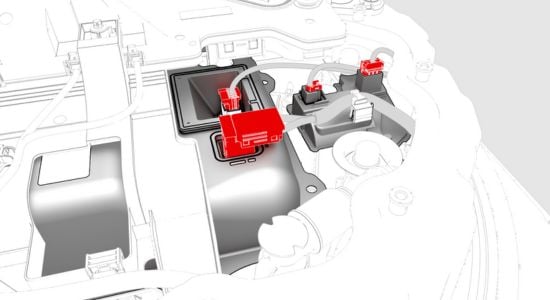
Fixing a clicking contactor requires caution, as it involves high-voltage components. Always disconnect the battery loop or use safety gear to minimize risks.
First, update your vehicle's software through the app or Wi-Fi; many clicks vanish with the latest firmware optimizing BMS performance.
If that doesn't help, clean the contactor terminals. Access the battery pack (following model-specific guides), remove corrosion with a non-conductive brush, and ensure tight connections.
For persistent issues, reset the system by powering down the car completely—hold the brake while pressing both scroll wheels on the steering yoke until the screen reboots.
If hardware is suspect, replace the contactor relay, but consult Tesla's service resources for compatible parts.
Perform software update via app.
Clean and secure terminal connections.
Full system reset procedure.
Relay replacement if needed.
This methodical approach restores smooth operation, enhancing your Tesla's reliability.
Preventive Maintenance Tips
Keeping your Tesla's battery contactor in top shape involves regular habits. Schedule routine software checks to catch glitches early, and avoid extreme temperature exposures by parking in shaded or heated areas.
Monitor charging practices—opt for slower Level 2 charging over frequent supercharging to reduce thermal stress. Keep the battery between 20-80% charge for daily use to minimize strain.
Periodic professional inspections ensure hidden wear is addressed, while gentle driving habits preserve component longevity.
Regular software update routines.
Optimal charging strategies.
Temperature management practices.
Professional check-ups.
Adopting these tips not only curbs clicking but elevates your overall Tesla ownership experience, blending innovation with everyday practicality.
More from Tesla
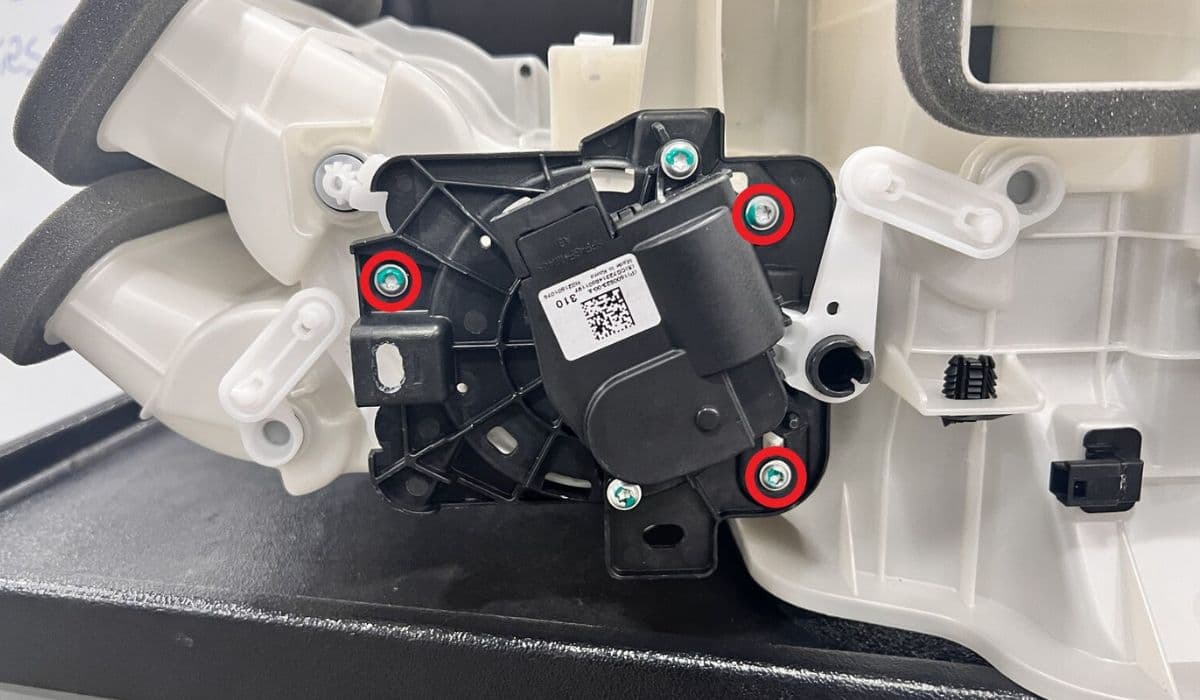
How to fix HVAC blend door actuator clicking noise Tesla
16.12.2025 13:16
How to fix FSD visualization lag after Tesla 2025.14 update
16.12.2025 07:02
How to fix phantom drain overnight Tesla
16.12.2025 04:50
How to replace octopus coolant leak (Tesla Model 3 2017–2020)
16.12.2025 03:21
How to replace torn rear seat bolsters Tesla
16.12.2025 03:09