
Tesla: How to replace drive unit whining bearings
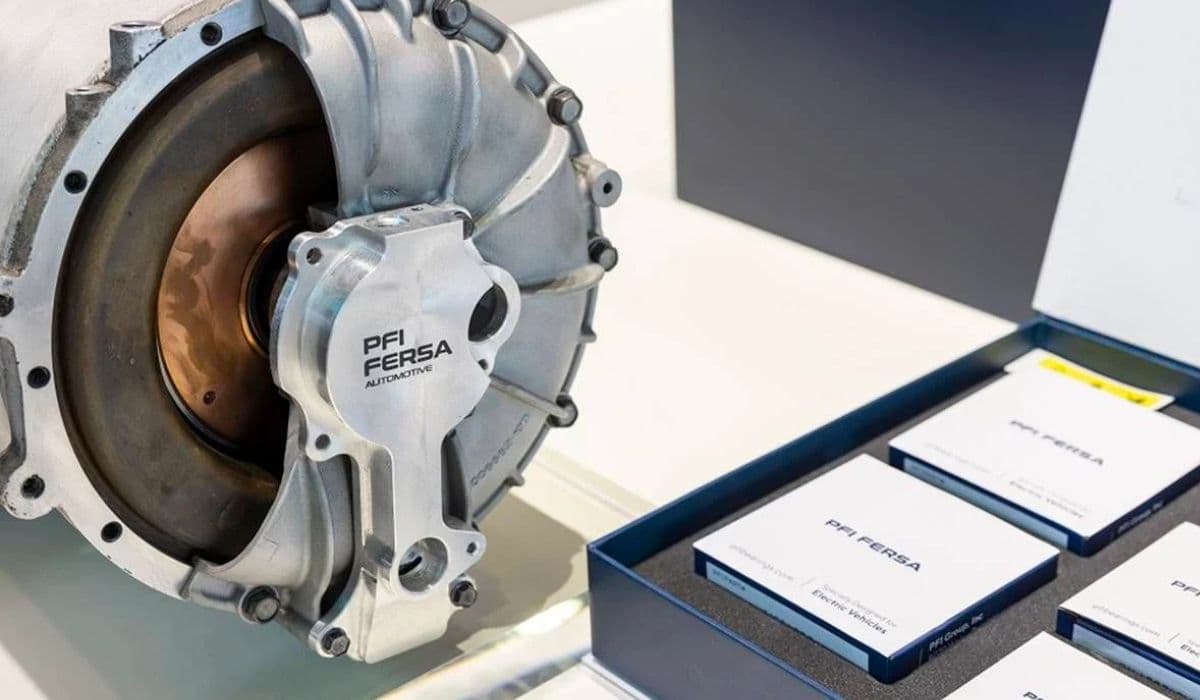
Tesla electric vehicles are renowned for their silent operation and powerful performance, but over time, some owners encounter a distinctive whining or milling noise from the drive unit. This sound, often described as a high-pitched hum that varies with speed, typically stems from worn bearings within the drive unit assembly. Addressing this issue can restore the smooth, quiet drive that Tesla owners expect, transforming an annoying vibration into seamless acceleration.
Understanding the Drive Unit Whining Noise
The drive unit in Tesla models integrates the electric motor, inverter, and reduction gears into a compact powerhouse. Bearings support the rotor and pinion shafts, ensuring smooth rotation under high torque loads. When these bearings degrade, they produce a characteristic whine—distinct from the normal electric motor hum—that intensifies during acceleration or at certain speeds.
Common triggers include:
Electrical arcing from shaft currents in older designs
Coolant seal failures allowing contamination
Natural wear from mileage and regenerative braking stresses
Insufficient lubrication or preload issues
This noise differs from wheel bearing failures, which often change with turns or load shifts. Drive unit bearing whine remains consistent regardless of steering input and persists coasting or under light throttle.
Early detection is key. The sound starts subtle but grows louder, potentially leading to reduced efficiency or further component damage if ignored.
Diagnosing Bearing Issues in the Drive Unit
Accurate diagnosis prevents unnecessary repairs. Start with a thorough test drive to isolate the source.
Key diagnostic steps:
Listen for noise changes with acceleration, deceleration, and coasting
Note if the whine is speed-dependent but not load-sensitive in turns
Compare front and rear in dual-motor models—rear units are more commonly affected in certain configurations
Use chassis ears or a mechanic's stethoscope for precise location
Check for accompanying vibrations felt through the seat or floor
In many cases, the whine originates from the rotor bearings supporting the motor shaft. Advanced tools like vibration analyzers can confirm bearing frequencies, but owner reports and service experience often suffice.
Rule out alternatives:
Tire noise (changes with road surface)
Inverter hum (constant pitch)
Suspension components (affected by bumps)
Professional verification ensures the drive unit is the culprit before proceeding.
Preparing for Bearing Replacement
Replacing drive unit bearings is an advanced repair requiring mechanical expertise, specialized tools, and a clean workspace. It's not a beginner DIY but feasible for experienced enthusiasts with access to parts.
Essential preparations:
Secure hybrid ceramic bearings (e.g., SKF variants resistant to electrical damage)
Obtain compatible seals for coolant and oil barriers
Gather tools: bearing pullers, presses, torque wrenches, and locknut sockets
Drain drive unit oil and coolant beforehand
Work in a level, well-ventilated area with proper lifting equipment
Safety first: Disconnect the high-voltage battery and follow isolation procedures. The drive unit is heavy—use an engine hoist or transmission jack for removal.
This repair extends drive unit life significantly, avoiding full assembly swaps.
Step-by-Step Drive Unit Removal
Begin by safely accessing the affected drive unit—typically rear in single-motor setups.
Removal process:
Elevate the vehicle and support on stands
Remove the wheel and halfshaft nut
Disconnect suspension links and brake components
Drain fluids from the unit
Unbolt mounts and electrical connectors
Carefully lower the subframe if needed for clearance
For dual-motor vehicles, identify whether front or rear is noisy. Rear units are more accessible in many models.
Mark all connections for reassembly. Inspect halfshafts and mounts during removal for secondary issues.
Disassembling the Drive Unit
With the unit on a workbench, disassembly reveals the bearings.
Core steps:
Separate the inverter and motor housing
Remove the rotor by supporting and gently dropping or pressing
Access pinion and rotor bearings
Clean away old grease and inspect for contamination
Common findings include fretting on races or coolant ingress grooves. Hybrid ceramic upgrades prevent recurring electrical pitting.
Use heat judiciously for stuck components, avoiding damage to windings.
Replacing the Whining Bearings
The heart of the repair: installing fresh bearings.
Procedure highlights:
Press out old bearings with appropriate pullers
Clean bores thoroughly
Apply retaining compound where specified
Install new hybrid ceramic bearings with precise preload
Replace seals to prevent future leaks
Preload is critical—use disc springs or shims as per design. Torque locknuts accurately with thread locker.
Rotor bearings often 6007 size
Pinion bearing may differ (e.g., 6208)
Gearbox seal upgrades improve longevity
Reassembly mirrors disassembly, ensuring alignment.
Reinstallation and Testing
Refit the refreshed drive unit.
Final steps:
Refill with specified synthetic oil
Reconnect all components with proper torques
Bleed coolant if disturbed
Perform a controlled test drive monitoring for noise
Break-in gently, listening for improvements. The whine should vanish, leaving only the signature Tesla silence.
This meticulous process not only eliminates the annoying sound but enhances overall drivetrain durability.
More from Tesla
How to fix HVAC blend door actuator clicking noise Tesla
16.12.2025 13:16
How to fix FSD visualization lag after Tesla 2025.14 update
16.12.2025 07:02
How to fix phantom drain overnight Tesla
16.12.2025 04:50
How to replace octopus coolant leak (Tesla Model 3 2017–2020)
16.12.2025 03:21
How to replace torn rear seat bolsters Tesla
16.12.2025 03:09